Download Gameloop android emulator for windows to run Tencent android games or android apps on desktop screen. Its free and safe to use.
Here are a list of best Android Emulator for Mac. With the help of drag and drop controls, you change the controls and designated buttons for the game. Best Android Emulator For Mac. ARChon is a little different than most of our best Android emulators for PC or Mac in that this one is actually a Google Chrome extension.
Android Emulators are one of the most popular applications these days because of a variety of purposes which they serve.
It helps android app developers to test the applications which they have developed according to real life usage before they release it.
However, the reason why Android Emulators are so popular because these android emulators allow you to install your favorite android applications on your PC/Laptop which allows you to play your favorite games on a bigger screen with the comfort of using a keyboard and a mouse.
There are a lot of Android emulators which are available for download, but finding the one which is the best and which will suit you the most is not at all easy and it can be very confusing for any user.
Download BlueStacks 4 for PC and MAC Free Download 2020: BlueStacks is the emulator that plays using the Android app on your PC / Mac easily and smoothly.BlueStacks has released the newest and most powerful advanced Android emulator for PC / MAC Called “Blue Stacks 5 download“.BlueStacks launched a new version after the “BlueStacks 4” Almost million of peoples currently using for.
In this article we will discuss the top 10 android emulators which you can download to install your favorite android applications on your PC/Laptop.
BlueStacks is quite simple to install and use for playing android games or using android applications on Your Windows 10 PC or Mac Laptop. No prior guidance is required to use this emulator. On the downside, BlueStacks may slow down the speed of your device depending upon the configuration and system compatibility. It aims at players similar to Bluestacks and comparable emulators. But, it is also quite usable as a productivity tool too. Its latest upgrade was in mid-November 2019 which upgraded additional smart keymapping together with the typical performance enhancements and bug fixes. Nox is just another Android emulator for PC for players. BlueStacks is an Android Emulator designed to run Android applications and games on our PC, Mac, and Windows. Mainly the emulator focuses on operating Android games on our devices with high quality and resolution. However, it also helps us download Android applications.
Contents
- 1 Top 10 Android Emulators For PC & MAC
Top 10 Android Emulators For PC & MAC
GameLoop
GameLoop is one of the most popular android emulators available for PC because of the latest changes which this emulator has introduced.
It was previously known as the Tencent Gaming Buddy but since it became the exclusive emulator app for Call of Duty Mobile game, it changed its name to GameLoop android emulator.
It is dedicated completely for playing Android games which means you can install other Android applications on this emulator, but their performance would not be that great.
Game Loop has got plenty of built-in game settings and support for Android games especially FPS(First Person Shooting)games like PUBG Mobile and COD Mobile.
It has really low response time and even heavy games like PUBG Mobile and COD Mobile do not lag during the gameplay. This is why, GameLoop is our number one choice when it comes to Android Emulators.
BlueStacks
One of the oldest and probably the most known and famous Android Emulators of them all is BlueStacks Android Emulator.
It is really easy to install which adds to its popularity and it is one of the most preferred Android Emulators when it comes to gaming purposes. Earlier, BlueStacks was used only by gamers, but now even app developers use it because of the updates this app has received which suits most of the app developers well.
The most recent version of the app BlueStacks 3 is much faster and efficient than ever before and it now runs even the most demanding games at high settings and graphics without lags.
Another reason why BlueStacks is so popular because users can download apps from the official app store of BlueStacks which has apps optimized for being installed on BlueStacks android emulator.
MEmu
MEmu is one of the more recent android emulators launched in 2015 and it mainly targets thegaming audience i.e this emulator is made specifically for gaming purposes.
It is capable ofrunning graphic intense games like PubG Mobile and COD Mobile at high settings and smoothgraphics and the performance of this Emulator is somewhat similar to the performance ofBlueStacks emulator.
The reason why it is so popular because it has also got support for older and slightly outdatedAndroid versions like KitKat and Jelly Bean.It has got dedicated mapping which will help you when you play FPS games like PUBG Mobile.
It can also automatically identify APK files on your computer and can install them just by adouble click on the file.
Nox App Player
If you have used MEmu Android Emulator, you will find Nox App Player quite similar to MEmu because Nox App Player is quite similar to MEmu emulator in terms of usability, interface and performance.
It is one of the best emulators for personal use and has got a really simple interface which makes it very easy to use.
It has got a massive in-built game library and has got the smoothest gameplay on all of them.Nox App allows you to map your keyboard and has also got gesture support which makes it really popular in the gaming community.
KO Player
KO Player is one of those emulators which love gamers because it focuses mainly on gamers. It aims at delivering a lag-free experience to its users which makes it really popular amongst gamers.
KO Player is a free application and this is why you can see a few advertisements here and there for monetization purposes.
KO Player has in-built support for keyboard mapping and it is very easy to set up and navigate through the apps.
Remix OS Player
After the huge success of Remix OS, Jide Technologies launched its own Android Emulator, the Remix OS Player.
Unlike the Remix OS which was a real operating system and it required disk partition for being installed on the hard drive of a user’s laptop or PC.
However, the Remix OS Player is an android emulator and it is one of the unique android emulators available because of the unique features which this emulator has to offer.
It has been highly optimized for gaming and this is why it is really popular amongst the gamers.
Andy
Andy is a completely free Android emulator and you won’t also be seeing any annoying advertisements.
It has got a unique feature which allows you to use your smartphone as a controller while you are playing your favorite games.
It also allows you to install Android apps directly on your desktop.
It runs very smoothly and could be great emulators for games that you want to play as well.
I personally have played many games and the playing experience was just smooth.
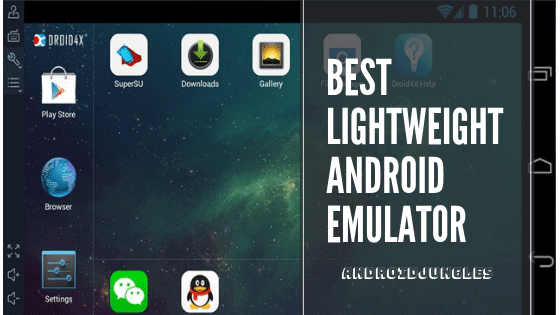
Droid4x
Droid4x is one of the competitor applications to Andy and it comes with many features which the Andy Emulator offers.
It is one of the few selected emulators which is suited more to the developers working on Android App Development instead of gamers.
It can be installed both online and offline using installer packages.
Personally using it on my low configuration PC, it gave me pretty satisfactory results.
Hence, if you have a low configuration PC, you may choose this one.
GenyMotion
GenyMotion is one of the few applications which has been developed specifically for developers although it supports games equally well.
It lets you test your developed applications on various platforms.
Various android versions which can help a developer fascinating their applications on a wide variety of different android versions.
When you will be installing this on your PC, you will notice that this is a very light emulator.
The RAM usage is very little as compared to others.
Android Studio
Android Studio is the official emulator of Google and is a developmental IDE(Integrated Development Environment).
It has been developed mainly for developers and has a lot of in-built tools which are of a great use to these developers.
These are some of the best android emulators and all of them except the BlueStacks emulator do not require powerful processors of additional RAM and most of them would work on Intel or AMD processors with 2 GB or less of RAM.
But it suggested that for a smoother gaming experience, your PC/Laptop should have at least 4 GB of RAM or more.
Last Updated on October 22, 2020 by
When it comes to playing Android games on PC, BlueStacks is unarguably one of the best Android emulators for Windows 10 and Mac users around the world.
BlueStacks 4, the latest version, runs on Android Nougat (7) technology and it was the first emulator to implement it back in 2018. And ever since then, BlueStacks has added a lot of new features with every update making the gaming experience better and better! Here are few of them that we loved while playing the Android games on BlueStacks.
Android Game Emulator For Mac Free
Astounding Features of BlueStacks
#1. Shooting Mode!

Not all emulators are capable of providing mobile like experience on PC due to compatibility issues of mouse and keyboard. But with BlueStacks, all you need to do is press F1 and start shooting it with your mouse when needed. That’s how simple it is to control the game at your fingertips, especially in the shooting games.
#2. Multi-Instance Manager!
Playing a single game with multiple accounts at the same time is what many gamers prefer when it comes to PC games. The multi-instance gaming option in BlueStacks is capable of running more than 2 games at the same time without making your system slow. Be it a 32-bit or 64-bit Android game, BlueStacks lets you play Android games on PC, you can read more at how to play Android games on PC. All you need to do is sign-in using your different accounts to use a multi-instance manager.
#3. MOBA Mode!
Online battle arena and role playing games have gained immense popularity over the times. And the eagerness to play such MOBA games on PC with BlueStacks has also seen a hike. That being said, the MOBA mode in the emulator lets you control the game dynamically instead of your regular WASD keys. Here’s how to activate the MOBA mode in BlueStacks.
- Launch the game and press CTRL + Shift + A to access the advanced game controls.
- Next, drag and drop the D-Pad on the screen and open the D-Pad settings with right-click
- Now choose the MOBA mode and click on Save Changes to activate MOBA mode.
With this, you can skip the usual WASD keys and set custom keys for particular actions. You can find the advanced MOBA settings from the official website here.
Bluestacks Android Emulator For Pc
#4. High FPS!
When it comes to shooting games, the games are designed to be best played with high FPS. The game that involves quick movements of opponents usually needs high FPS on your PC to be in the game. This is because you need to plan your moves quickly, attack them to win the battles and to do this, high FPS is required in the games you play. To set up high FPS, go to BlueStacks settings from bottom right sidebar and click on Engine option. Now, set the FPS slider to 60 and tick the ‘Enable High Frame Rates’ option in order to adjust the FPS further. These changes will be applicable when you launch the game next time.
Apart from these features, the custom key mappings is something which you’ll find missing in other emulators like NoxPlayer and MEmu. If you would like to edit apps, remove promotional ads from BlueStacks than you need to root BlueStacks and you can do so using BSTweaker 5. With that said, let’s now see how to install the emulator on Windows.
Bluestacks Android Emulator For Pc And Mac Play Stream Watch
How to Install BlueStacks on Windows PC
The emulator can be installed in 2 ways. One is with an online installer (the installation guide that we’re going to explain now) and the other one can be done with an offline installer.
Step #1
Option 1: Download BlueStacks offline Installer by clicking on the below links to get started depending on your computer CPU.
Option 2: Visit the official website of BlueStacks from here and click on the download BlueStacks button, depending on your system configuration, the installer will automatically detect the 64-bit or 32-bit Windows version and install the latest version of BlueStacks accordingly.
Step #2.
Launch the downloaded file of BlueStacks and click on Yes when the system asks you. Once the BlueStacks appears on the screen, click on the Install Now button in the emulator. Wait for some time until the emulator gets installed. The file size is about 550 MB.
Step #3.
Wait until all the files are extracted and it checks for system requirements before installing. It also checks the extracted files in the process to install the BlueStacks engine on your PC. Ensure that your antivirus is turned off if it’s interfering during the installation of BlueStacks.
It may still take some time to start BlueStacks as this is the first time you’re installing it. Overall, it depends on your PC’s performance.
Step #4.
Once the BlueStacks is launched, make sure that you sign-in using your Google account as it syncs your data if you’ve used the emulator earlier.
Step #5.
Enter your Email ID and password of your existing Google account to proceed further.
Step #6.
Once done, click on ‘I Agree’ on your BlueStacks after entering the password. By default, the Backup to Google Drive option is turned on. Keep it as it is if you want to back up all your BlueStacks data. Next, click on Accept.
Step #7.
It will now launch the Google Play Store through which you can search and install your favorite games just like you do in your Android smartphones or tablets!Well, that’s how simple it is to download and install BlueStacks on your Windows PC. In future if you are not happy with running BlueStacks on your machine than you can read here on how to uninstall BlueStacks completely.
Bluestacks Android Emulator For Pc And Mac
BlueStacks probably occupy a decent amount of RAM on your system. So depending on the RAM you have in your computer, the BlueStacks may run slower or faster.
Minimum System Requirements to Install BlueStacks!
To ensure that BlueStacks runs smoothly and you don’t face any issues while playing your favorite games, make sure that your system is compatible with these system requirements.
Bluestacks Emulator Pc Download
Operating System: Microsoft’s Windows 7 and above.
Processor: AMD or Intel Processor.
RAM: Minimum 2GB of RAM
Hard Disk Drive: Minimum 5GB Free Space.
Updated Graphic Drivers is a must!
These are the minimum system requirements but if you’re a heavy user or love to play more Android games on PC, here what your PC must have.
Recommended System Requirements to Install BlueStacks!
Operating System: Microsoft’s Windows 10
HDD: SSD
Android Emulator Bluestacks Download
RAM: Minimum 8GB or higher
Processor: Intel or AMD Multi-Core Processor.
Graphic Cards: Intel/Nvidia/ATI, Onboard or Discrete controller
Apart from all these, ensure that Virtualization is enabled on your PC. If you’re not sure about how to enable it, here’s a simple guide to follow.
Closing Thoughts!
Bluestacks Android Emulator For Pc And Mac
We hope that you’ve now got enough information on BlueStacks to get started! If you face any issues during the installation process or while playing any games, do let us know in the comment section. We will be happy to solve your issues as we’ve played various Android games on BlueStacks until now. Download BlueStacks now and stay tuned for more such detailed guides and tutorials!
The Best Super Nintendo (SNES) Emulators for PC/Mac/Android/iOS and More. Super Nintendo emulation has been around for decades and there are many choices out there for playing the classics on a variety of PCs and other devices. Over time, we have seen a great. Download BlueStacks for Windows and Mac. Enjoy over 1 Million Top Android Games with the best app player for PC. The installer automatically detects the Operating System your device is running and chooses the right version of BlueStacks.
Windows 64 Bit
The installer automatically detects the Operating System your device is running and chooses the right version of BlueStacks.
Recommended
Choose from the Other BlueStacks Versions
NoxPlayer, the perfect Android emulator to play mobile games on PC. DOWNLOAD Version 6.6.1.3 2020/10/10. Google Drive Version Log Mac Version. New Android 7 Play mobile games on PC with powerful Android 7. Superior Performance More stable.
Operating System
Select
- Windows 32 Bit
- Windows 64 Bit
- MAC
Note: To run this version, your PC needs to be VT compatible and VT enabled
FAQs
If I have a 32-bit Windows PC and want to run 32-bit Android apps, which version of BlueStacks do I need?
You need the 32-bit Android version of BlueStacks
If I have a 64-bit Windows PC and want to run 64-bit Android apps, which version of BlueStacks do I need?
You need the 64-bit Android Version of BlueStacks. Also, your PC should be VT enabled. Here is a step-by-step guide to enable VT on your PC - How can I enable VT on my PC
I’m running an earlier version of BlueStacks. Should I update?
Yes, absolutely. We recommend that you download the latest version of BlueStacks based on your system requirements. All the updated versions are faster, more powerful and come with a lot of new features to improve your gaming experience.
Should I download BlueStacks from a third-party site?
No. We strongly recommend that you download BlueStacks only from the official BlueStacks website. Downloading BlueStacks from third-party sites may infect your PC with malware and compromise its security.
Browse this list of articles to further improve your gaming experience with BlueStacks.
- Introducing the best, most advanced keyboard controls editor ever.
- How can I change the graphics mode on BlueStacks ?
- How to speed up BlueStacks ?
- How can I allocate more memory to BlueStacks ?
- How can I use macro recorder ?
- Questions? Send an email to support@bluestacks.com
Read the latest from the BlueStacks Editor's Blog
Best PS2 Emulator for pc: PCSX 2 has been the only PS2 emulator in the world, and it was quite a work of genius, comes across as a bit of a bear to set up and manage. Users can download the Ps2 emulator from its main site one of its most up-to-date plugins loaded automatically, and a setup wizard that might guide you through the entire installation process.
Best Play station 2 emulator for pc and Android – PS2 is one of the best control systems on the economy. PS2 has been the most commonly accessible and popular playing games PlayStation throughout all Sony-produced PS consoles. The PlayStation has also been widely known with many modified versions and controllers.
Contents
- 1 Best PS2 Emulator for pc and android
- 1.9 Final points:
- DamonPS2 is a ps2 emulator
- PSPPro Emulator
- Goldenn PSP Emulator 2020
- Free PS2 Emulator 2019 ~ Android Emulator For PS2
- PS2 Emulator Games For Android: Platinum Edition
- Dolphin Emulator
- Kode Game PS2 Terlengkap Offline
- Rapid PSP Emulator for PSP Games
- Video Games Emulator – Play Classic Video Games
- Enjoy PSP Emulator to play PSP games
- PSP PSX PS2 ISO Games Download Database
- New PS2 Emulator 2019
- PSP Emulator Pro
- Emulator PSP PS1 PS2
- PS2 Emulator Game For Android
- DOWNLOAD & PLAY : Emulator PSP PS2 PS3 PS4 Free
- Games & Emulator PPSSPP
- PSP GAME DOWNLOAD: Emulator and ISO
DamonPS2 – PS2 Emulator – PSP PPSSPP PS2 Emu
DamonPS2 is a ps2 emulator for Android with amazingly successful results on even a broad range of android phones, and also a couple of games. The latest version of Damon PS2 does have common differences concerning a premium subscription, the most remarkable of that is that the free plan has advertisements.
The free account doesn’t even really allow users to save to a micro sd card (even though you can start saving from this same console with your own) and also has very few graphical features. As such, the bulk of PS2 gameplay functions smoothly on the free plan. Play truly great emulator games such as Final Fantasy X, God of War, Silent Hill 2, Onimusha, Metal Gear Solid 2, Disgaea, etc. on your mobile phone with a full-featured PS2 emulator.
Click here: DamonPS2 – PS2 Emulator Download
Features Of DamonPS2 – PS2 Emulator
- Widescreen Games (16:9)
- Multi-format game ROM, Include:
- 2X~5X PS2 Resolution (1080p HD)
- Similar to PPSSPP Emulator
- Gamepad Vibration – Exceed PPSSPP Emulator
- Skip BIOS boot game
- Acceleration of MEPG2, ARM-v8, Vulkan API
- Multi-threading Acceleration – Exceed PPSSPP
- NEON Acceleration – Similar to PPSSPP
- Cheat-Code
- Frame-Skip
- ImportExport MemoryCard file (Compatible Pcxs2 )
PSPPro Emulator
PSPPro Emulator is also a software to play famous PSP latest games on your mobile phone. thx to this online service, users can eventually possess all you need to emulator the PSP PlayStation without paying any money. everything you have to do is download games that you’d like to perform so that you really can play people on their device. This software has several different features, all intended to make each game look but also perform.
Click here:PSPPro Emulator Download
Features of PSPPro Emulator
Android Game Emulator For Mac Computer
Run Android Emulator On Mac
- There are a variety of different plugins to play PSP PSX and PS2 games.
- Select your popular console and continue you’re available to download the game from your android smartphone.
- Download speed and presentation vary based on your mobile specifications.
- New phones are running games very smoothly as possible.
- Upwards of 5000 Games could be found.
Read More: 4 most popular apps for android/most useful apps for Android
Goldenn PSP Emulator 2020
Users all were happy to introduce you to a completely new free version of Emulator Ps2 For smartphone Pro. Even this small title is not even an injury. Technological advances are working and delighting all of us. Users are going to get a terrific performance level in PSp games, fantastic animations, and lovely games. Along with the collection of these great variables, the emulator appears to work like that. This is the PSP / FPS PSP game emulator implementation for those of you who like brain teaser adventure, war, etc.
Click here: Goldenn PSP Emulator 2020 DOWNLOAD
Features of Goldenn PSP Emulator 2020
Android Emulator For Mac Air
- Quick game efficiency as it was on the official version PSP device.
- Rapidly increase the emulation speed.
- Improved compatibility of games.
- The greatest joystick of the game.
- Save a load of your game state quickly.
- Simple networking playing games.
- High-quality game graphics
- Saves your battery as much as possible
- Very good game compatibility
- The easiest to use also Fast forward and 100% speed emulation
- sound like on the original device.
Free PS2 Emulator 2019 ~ Android Emulator For PS2
Users are happy to present to you, after such a long working time, everyone’s free and quickest ps2 emulator throughout the world: available PS2 Emulator 2019 ~ Android Emulator For Playstation 2, to love to play PS2 free games on your android or ios with a good graphics performance. complete High definition PS2 Emulator is a great and original PS2 emulator for android devices, it continues to run a handful of games, as well as the updated PS2 game racer.
Click here: PS2 Emulator 2019 ~ Android Emulator DOWNLOAD
Features Of Free PS2 Emulator
- This Free PS2 console claims to support
- Multithread Acceleration + Exceed PPSSPP
- Download an emulator for PS2
- Perform PS2 games with HD quality and additional features advanced features your android phone.
- It would have the same advantages as the PPSS2 emulator for having played PSP games.
- This Free PS2 Emulator is supported by full-screen Games
- Enjoy the creation of realistic graphics and high-quality audio effects.
- You can quickly save it and load the nation of your game.
Final points:
Best Android Game Emulator For Mac
Best PS2 emulators for pc to be used in 2020 if you’d like to appreciate everyone’s favorite new games on your smartphone, iPhone, and desktop computer. I’ve attempted to add just the proper ones, as well as the policy decisions from around the global economy it has changed immensely these days. So, if users search any of these not working, be sure to let me know in the comment section so that I can modify the viewer’s reading this article.