- Android Virtual Machine For Mac Computers
- Free Virtual Pc For Mac
- Android Virtual Machine For Mac Free
Virtual PC for Mac. It allows you to enjoy the features of both worlds. The only occasional problem is that the drop-in speed of processing but otherwise it’s a pretty good bare-bones emulator. Fourth in place is VirtualBox. This emulator is particularly very popular amongst developers and programmers as its free and open source. Believe it or not, you can actually use VirtualBox to create your own Android emulator for Mac. Download VirtualBox on your Mac machine, and then set it up with the necessary ISO image from.
Jan 13, 2021 Here are the best virtual machine apps for Mac. VirtualBox is a free and open source virtual machine software from Oracle. It’s designed with developers and IT professionals in mind, so VirtualBox provides you with a great deal of control over your virtual environments. VirtualBox supports a great number of guest operating.
- Download Android x86 virtual machine (VDI) for VirtualBox and run android inside. Note:- This clash of clans game is available for Android, Mac &.
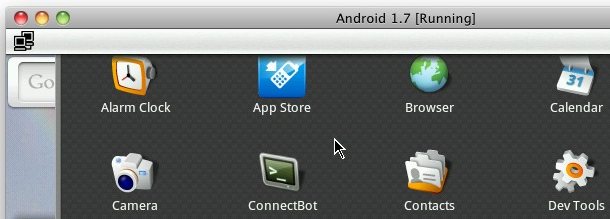
- The Android virtual machine will help will you to run the programs on your system itself. If you select the android virtual machine, it will download it.
- Create a new Virtual Machine. Click on the “New” button to create a new android virtual machine. Now type the name as Android x86 9.0, type of OS as Linux and version of OS as Linux 2.6 / 3.x / 4.x (32 bit or 64 bit). And Click on Next. Memory Size (RAM) Now Select the amount of RAM to be allocated to the android VM.
Version 2.0 BETA-1 R7 AVAILABLE 10/07/2019

Game Emulator For Mac
Multiplatform
Is there an age of empires for mac os catalina. Finally, Retro Virtual Machine is now multiplatform.
It works natively in MacOs(from version Mavericks 10.9), Linux(any modern distribution) and in Microsoft Windows(from Windows Vista).
Multisystem
Another big new feature in version 2 is that Retro Virtual Machine now emulates the Amstrad CPC.
In addition it emulates all the official models of ZX Spectrum, as well as some clones like Inves Spectrum+ and the ZXUno.
Machines available in Retro Virtual Machine
ZX Spectrum
- Spectrum 16k/48k
- Spectrum 128k
- Spectrum +2
- Spectrum +2A
- Spectrum +3
- Inves Spectrum+
- ZX-Uno
Virtual cassette player
Retro Virtual Machine emulates a Virtual Cassette player
Can be played back and recorded in different formats, at real speed or, using warp mode, at a higher speed
Low level disc emulation
Another new feature in RVMv2 is that disk drives are emulated at a low level (MFM/FM).
Disks are loaded at the correct speed, and emulation is much more accurate than in RVMv1
RVMv2 also supports the use of HFE files directly.

Devices
Now, in RVMv2 we can add external devices, for example we can add a DIVMMC to the virtual Spectrums to load from SD cards.
Or you might want to have more sound channels, no problem, add a Turbo Sound to your spectrum.
Do you need more memory? Add an X-Mem to your CPC and you will have 576k ram+ 512k rom.
And this is just the beginning, many more devices are planned for the next beta.
'Virtual' SD Cards
If you use a DIVMMC or a ZXUno you can have your software on 'virtual' SD cards.
RVMv2 makes life easier for you, internally implements FAT16/32 file systems
You can add files just by dragging them, renaming them, deleting them and all using only the mouse.
Selection of homebrew games
In the ZXUno, or in any ZX with a DIVMMC when you create a sd card you can optionally add a selection of the best Homebrew games. All this thanks to:
How to use the included games?
Amstrad CPC
Supported peripherals
ZX Spectrum
- Magic-AY
- Turbo Sound
- DIVMMC
- Kempston Mouse
Monitor emulation
RVMv2 emulates all video signal generation at low level, virtual machines generate H-Sync V-Sync signals as well as the video signal.
The virtual monitor is responsible for displaying the final image, also emulates the mix of frames that is usually produced in an interlaced signal.
RVMv2 also uses the correct pixel aspect ratio. In the analog world there is nothing exactly square.
Graphic post-processing.
In RVMv2 all video output goes through a shader that runs on your graphics card, so you can (or not, it's your choice) apply effects like 'scanlines', blur, static noise, and even emulation of the monitor's pixel mask.
High quality audio
In RVMv2 the audio is quantified cycle by cycle, then a 192,000Hz signal is generated and sent to the sound card.
As a result, the sound is clean, and the emulation is synchronized with the audio, without jumps and with low latency.
The output of each of the audio channels is configurable directly from the emulator interface.
Gamepads
Do you like to play with the gamepad of your favorite console? No problem, in rvm Joysticks and Gamepads are detected and map automatically just by connecting them.
System Requirements
MacOs
- Any mac that can run MacOs Mavericks 10.9 or later
Microsoft Windows
Android Virtual Machine For Mac Computers
- Windows Vista+ x86 or x64
- dual core CPU (recommended)
- Any graphics card compatible with OpenGL 2.1
Linux
- dual-core CPU (recommended)
- Any graphics card compatible with OpenGL 2.1
Debugger
Are you programming for any of the systems supported in RVMv2? RVMv2 incorporates a powerful integrated debugger with which you will be able to test your program.
You can control the execution of the emulator with the keyboard and mouse.
You also have a powerful terminal from which you can launch a multitude of commands that will make the task easier.
Virtual Emulator For Mac Os
Assembler
Virtual Machine Emulator For Mac
RVMv2 Also features a powerful integrated z80 assembler. You can compile your own programs from the debugger terminal.
The assembler uses LUA as 'meta-language'.
The 'Programming Guide with RVMv2 Beta1' will soon be available.
Be warned that the development environment will change a lot in future versions.
Free Virtual Pc For Mac
Support us
Android Emulator For Mac
If you like Retro Virtual Machine, please think about supporting us.
You can follow us on Twitter and Youtube.. it's free.
If you think it's worth a donation, don't hesitate to support us on Patreon, or donate with Paypal.
Virtual Boy Emulator For Mac
Android Virtual Machine For Mac Free
Anyway, just for using it Thank you so much!