This Service tool v4905 support for G1000, IP2770, IX6560, MP258, MG6170 printer also for G Series, IX Series, IP Series, MG Series, MP Series, MX Series, and PRO Series. Click links below to download for free.
Jan 30, 2020 Canon Service Tool V3400 Resetter Free Download Taosif January 30, 2020 337 Views 0 The Service Tool V3400, and administration instrument V3600, enable you to reset the waste ink cushion counter on some Canon printers:You can fathom the messages blunders “Waste Ink Tank Full” or “Waste Ink Pad Full”, “mistake 5B00” or “Blunder P07. Canon Chip Re-setter / Refill Tools / Parts. Our Canon chip re-setters makes refilling of the original cartridges or aftermarket cartridges possible. These re-setters enables the chip on a used Canon or compatible cartridge to be reset to full, making the cartridge refillable. Our Refill Tools Make Refilling Easy And Simple.
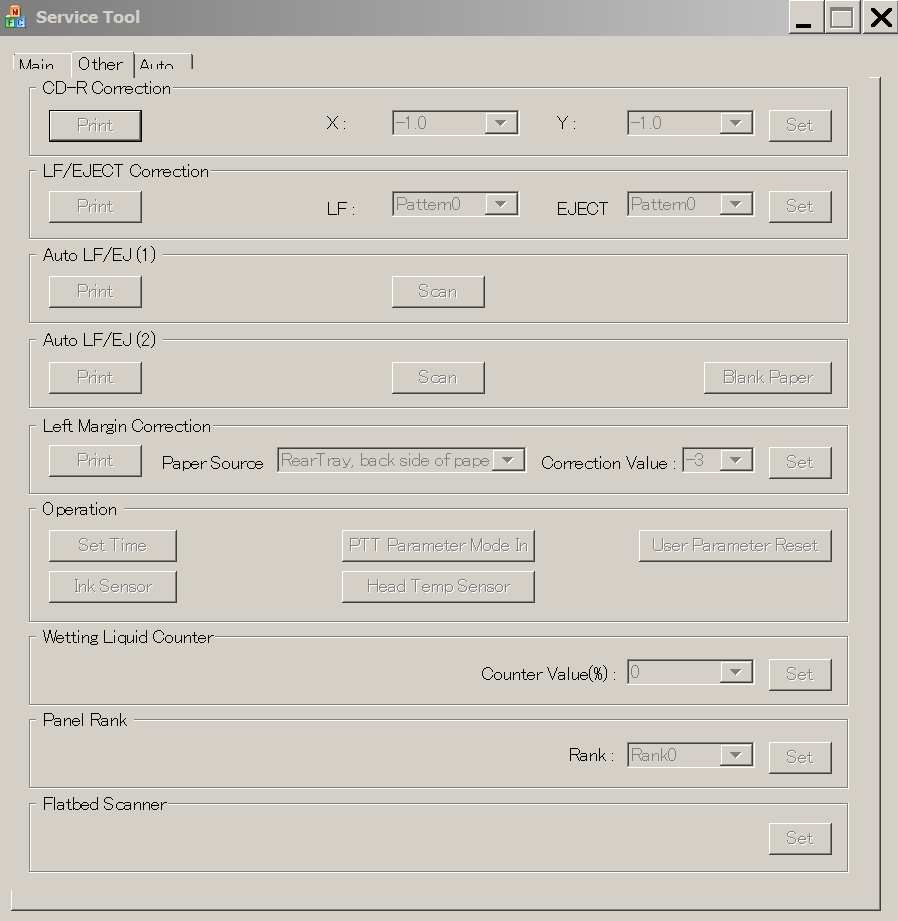
This Service Tool can make Service Adjustments and Reset strategies with the Ink Absorber Counter. To reset squander ink safeguard counters you need to utilize Download Service Tool V4720 For Canon under Windows XP or under different Windows OS in the similarity mode.
- Download Service Tool v4905 (password : errorandreset.com) or link 2
This software cannot be used for Canon E series and MG24xx series printers. You can download Service Tool v4720 for E series Canon printers.
Service tool v4905 Support OS:
- Windows XP
- Windows Vista
- Windows 7
- Windows 8
- Windows 8.1
- Windows 10
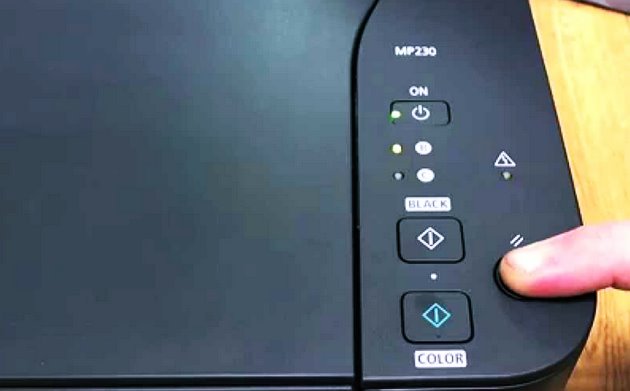
Before using this software, make sure your Canon printer can enter into “service mode”, each printer has a different way to get into “service mode”. In general, here’s how to enter service mode on a Canon printer.
- Turn off the Canon printer, don’t unplugging the power cable.
- Press and hold Resume button then press the Power button.
- Keep pressing the Power button and release the Resume button.
- Then press the 5x Resume button.
- Then release all the Power & Resume buttons.
- The power LED will blink and you’re in Service Mode and your printer ready to reset.
The Service Tool V3400, and administration instrument V3600, enable you to reset the waste ink cushion counter on some Canon printers:You can fathom the messages blunders “Waste Ink Tank Full” or “Waste Ink Pad Full”, “mistake 5B00” or “Blunder P07” on these printers:

Canon Reset Tool Download
Canon Pixma iP2700, iP4800, iP4810, iP4840, iP4850, iP4900, iP4910, iP4940, iP4970, iP4980, iP4990, iP5810, iP5880
Canon Pixma MP230, MP240; MP250; MP260; MP270; MP280; MP480; MP490; MP540; MP550; MP560; MP620; MP630; MP640; MP980; MP990; Canon Pixma IX6500, IX6510, IX7000
Canon Pixma IP3600, IP4940

Canon Pixma PRO9000, PRO9500

Canon Reset Tool V3400 Download
Canon Pixma MG2120. MG2140, MG2240, MG2250, MG2440, MG3240, MG3140, MG4100, MG4140, MG5140, MG5150, MG5240, MG5340, MG6140, MG6240, MG8140, MG8240
Canon MX397, MX320, MX330, MX860and so forth
How utilizing the Service Tool V3400 ?
1-Download and introduce the Service Tool Canon V3400
2-Enter in upkeep mode with the printer:
– Power off the printer
– Connect the printer to the focal unit with a USB link
– Hold on the “Resume” catch (triangle around) et squeeze “Power”
– Hold on these two catches until the point that the drove control lights.
– Release the “Resume” catch, yet not the power catch, and press 5 times “Resume”.
– Release the two catches. Leds will streak, hold up until the point when it stops. Presently you are in Maintenance Mode
3-Run the Service Tool V3400
4-Choose the privilege USB port in “USB PORT”
5-In the area “Ink Absorber Counter”, pick “Principle”
6-In the area “Counter Value” (%) pick the number the nearest of the counter number and click on “SET” (The counter number is in the segment “EEPROM”)
Investigating:
Canon Printer Reset Tool
- Error 002: a function isn’t supported by the printer
- Error 005: The printer isn’t good with this Service Tool
- Error 006