In Windows 7 click Start button and then select Control Panel. Choose System item from the Control Panel. When System information appears, check the System Type. If operating system is 32-bit, use 32-bit Embird. Accordingly, if system is 64-bit, use 64-bit Embird. How to download and install Embird. Download Find My Iphone On Mac on this page. Free firefox 48 mac download software at UpdateStar - Coupon Search Plugin for Firefox, find some of the best discounts and deals around from the. Release Notes tell you what’s new in Firefox. Mac Miller Best Day Ever Mixtape Download more. Download Firefox — English (US). 48.0.2 Firefox Release.
Studio 2019 is a Digitizing Plug-in for Embird Software.
While the basic Embird program works mostly with stitch files, Studio uses vector objects for ease of design creation.

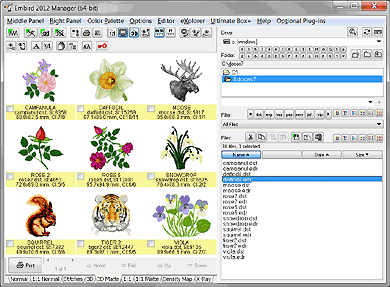
The main concept of digitizing in Studio is to draw vector outlines of respective objects and fill them with various types of stitches in the same way you would fill objects with color in a graphics program.
Studio contains two parts, each of them is optional
Sfumato Stitch
Embird For Mac Download Windows 10
Convert photos to embroidery design. Portraits, landscapes, etc. Fill stitches are generated to approximate the photo.
Digitizing Tools
Digitizing of logos and fancy designs, lettering, auto-tracing, freehand, conversion of vector files into embroidery.
Studio is an optional plug-in program for Embird. It must be downloaded as a separate file and installed into Embird. Embird 2018 is required before you can trial or purchase Studio. Upgrade from previous versions of Studio to version 2018 is free of charge.
Before you can use any of the Embird plug-in programs you need to have Embird downloaded and installed. All Embird plug-ins work within Embird and are not stand-alone programs.
Once downloaded and installed, all plug-ins run in demo mode until they are registered. Registration for each plug-in is an optional extra purchase in addtion to the basic Embird program registration.

Embird must be registered before any plug-ins registrations can be purchased.
Iconizer, Font Engine & Cross-Stitch
These three plug-ins are included in the Embird installation file so you don’t need to download these separately. They will be installed together with Embird.
Digitizing Tools, Sfumato and Alphabets
Digitizng Tools and Sfumato Stitch are both parts of Embird Studio. To use either plug-in, Embird Studio needs to be downloaded and installed. Registration for each plug-in can be purchased separately.
Embird Studio comes in two versions, 32-bit and 64-bit. You need to install the version that matches your computer’s operating system, and the version of Embird you have installed. To find out which system you have, go to Control Panel/System and Security/System and look for System Type. We also have a free video tutorial that shows you how to find out your system type available from here.

Alphabets can be downloaded individually, or as a complete installation file including all the Alphabets.
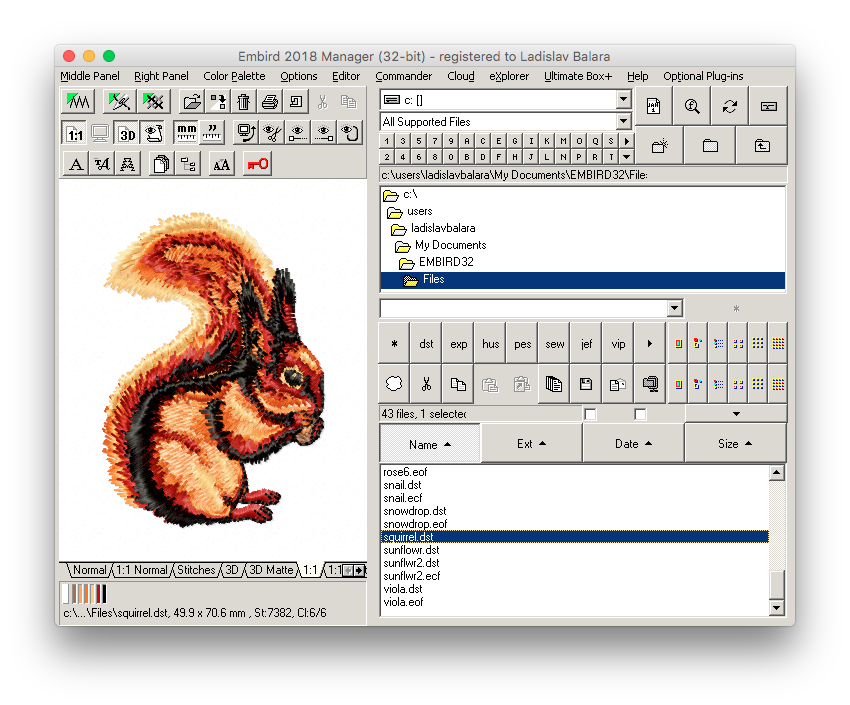
Embird Basic Free
Download and Install Embird Studio and Alphabets:
1 – Go to our Embird download page and click on the download link for the plug-in you wish to install.
2 – When asked if you want to Run or Save the installation file, choose Run.
3 – Check that the correct installation folder is displayed. If you have installed Embird to its default folder, this will be shown and you don’t need to make any changes. If you have changed the installation folder for Embird, make sure the folder you chose is selected. Click “Unzip”.
4 – When the installation is completed, click “OK”.
5 – Open Embird and go to Help > Installed Plug-ins.
Embird For Mac Download Mac
5 – Check the list of installed plug-ins to make sure your plug-in was successfully installed.