/Mac Tips /Top VCD Players for Mac You Should Try This 2021
- Mac Vcd Player Free
- Vcd Player Free Download Mac
- Free Mac Vcd Player Download
- Free Mac Vcd Player Software
- Free Mac Vcd Player Free
Can a Mac Play a VCD? Yes, it can. If you haven’t heard yet; there is a VCD player for Mac. So, if you still have some of your old VCDs stashed somewhere in your house, don’t throw them out. At least, not yet.
Free Mac Media Player, as a multi-purpose media player, can be used as free VCD player as well. It is very applicable for you to watch any VCDs on Mac. It only needs two steps to play the VCD you want without limitation. The detailed tutorial is as follows. Vcd Player Mac free download - QuickVCD Player, BlueStacks App Player, Flip Player, and many more programs. Aurora Blu-ray Media Player. Another Mac Blu-ray player software is Aurora Blu-ray Media Player. It is an ideal Blu-ray player software for Mac. Aurora Blu-ray Media Player can open DVD, ISO, VCD, and HD videos. With Aurora, you can also get the best sound experience via output channels such as TrueHD 2.1 and DTS HD 7.1.
Get hold of them because you can see what’s contained in them. For all you know, some of your old VCDs have some movies in it or even some old family videos that you have been looking for. Don’t throw them just yet. There are some top VCD players for Mac. Hence, you can check out the contents of a VCD right on your Mac. How cool is that?
Article GuidePart 1. What Is A VCD? Part 2. What Is The Best VCD Player for Mac?Part 3. Bonus: Remove Your VCD Player Once You Don’t Need Part 4. Conclusion
Part 1. What Is A VCD?
A VCD or a Video CD file format was a big hit in the early nineties. Movies were stored in VCDs and sold everywhere. Since a VCD can usually hold a 70-minute video or film, you would normally end up with two discs. That is the reason why you would always have two discs each time you buy a movie on VCD. That could be annoying since you will end up with a lot of discs to store.
A VCD is similar to a standard CD or DVD. Unfortunately, they are more prone to scratches from fingerprints. The more scratches they have, the more chances of them being useless in the long run. So, if you still have some of your old VCDs stashed somewhere in your house, go and check on them. See how they’ve held up over the years.
Before they rot for good, play them on your Mac and save them digitally. That way, the contents of your VDC are saved. Lucky for you, there is a VCD player that you can use on your Mac. Continue reading to see what you can use as a VCD player for your Mac.
Part 2. What Is The Best VCD Player for Mac?
Before you jump right into learning how to use a VCD player, you need to make sure that there is enough space on your Mac for a VCD player. If no, then you should remove purgeable space on your Mac. And then you also need to make sure that the VCD is plugged into your Mac. If your Mac has an internal CD player, then good. If it doesn’t, then you would have to get an external CD player for you to be able to make use of a VCD player for Mac.
Option #1. Elmedia Player
There is a program called Elmedia Player by Eltima. With that said, you can now continue reading the steps below to learn how you can use this VCD player for Mac.
Step 1. Search for Elmedia Player
Go to your Finder on your Mac and type in Elmedia Player for Mac. Hit enter on your keyboard to start searching. When you get to the results page, click on the first link you see.
Step 2. Choose which Download button you want to click on
You can either do a free download or a paid download. If you just want to try out the program, you can click on the free download. That’s the best way to see if the program is something you will use in the long run. You can always upgrade later on.
Step 3. Install the Program
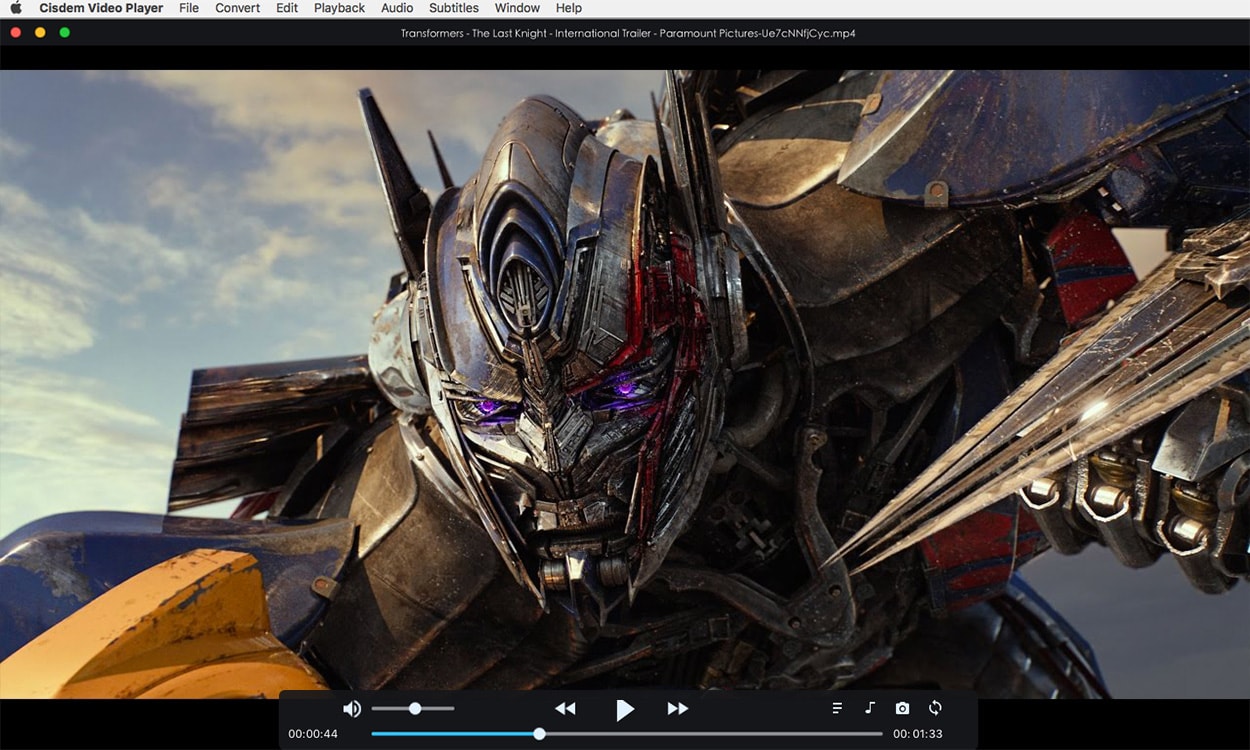
Once you’re done downloading, you will need to install it. Take your cursor to the Dock and look for Folx. Click on it to start installing. Click on Continue in Free mode. A small pop-up window will appear together with a Folx Download Manager screen that looks just like iTunes. On the small pop-up window, click on the Continue in Free mode button.
Step 4. Look for the Elmedia Player
You will find Elmedia Player on the Folx Download Manager screen. Click on it. Another pop-up window will appear. Click on the Agree button. You will be taken to another window where you can drag the Elmedia Player directly to the Applications folder.
Step 5. Play VCD
Open the Elmedia Player. You can open it from the Applications folder. Once you have opened it, take your cursor to the top menu and click on File. Click on Add to Library. Another pop-up window will appear where you can open your VCD. To do that, take your cursor to the left-hand side of the pop-up window and click on the VideoCD. Choose the VCD you want to play and just click on it.
Option #2. Mac VCD X
Another VCD player for Mac tool that can also help you play your old VCDs is the Mac VCD X. This video player boasts of all the features that you need in a VCD. One of its great features is that it’s compatible with a lot of video formats. You can also play it on full screen. Below are the steps on how to use it.
Step 1. Download the App
Keep in mind that if you download the free trial, you can only play a 5-minute video on it. Install and open the app.
Step 2. Review the Features
Take a look at the Playback window and select what you want to do with it. You can even adjust the control options of the app.
Step 3. Play VCD
Mac Vcd Player Free
Once you have adjusted the settings, you can play the VCD. Make sure the VCD is inserted in an external player.
Step 4. Save VCD
With the Mac VCD X, you can also save the VCD to your Mac. You just have to adjust the Video saving feature of the app and the VCD will be saved to Quicktime.
Option #3. VLC Media Player
Is VLC available for Mac? Does VLC player play VCD? Similar as Quicktime player, VLC Media Player is a free VCD player for Mac that you can use to play your VCDs. This is a very popular app and you can use it for free because it’s an open project. This means software developers are always welcome to tweak the app to make it better for folks like you and me. It’s also very easy to use. Read the steps below to see how you can use it.
Step 1. Download it
This is a free app for Mac. It supports a lot of formats. This is a media player where you can watch and listen to media content like songs and videos from different codex and file formats. You can find this app on their website. Download VLC player for Mac from their website. Save and choose the default setting. Install and open it.
Step 2. Review the Simple Interface
Vcd Player Free Download Mac
A shortcut will automatically be created on your desktop. Once you have opened the app, take a good look at the menu on their simple interface. You will find your files on the top left-hand side of the screen.
Step 3. Select File
You can select your VCD file on the top left-hand side of the screen. Just make sure you have plugged in your VCD to the external player. Click on Media on the menu bar above to select a file. Choose the file on the pop-up window.
Step 4. Play VCD
You can also drag your VCD file to the main screen of the app to start playing it. Once you have it on the VLC player, you can use the buttons below to play, rewind, or pause the video.
Part 3. Bonus: Remove Your VCD Player Once You Don’t Need
There’s a lot that your Mac can do for you. Your Mac is like a magic machine just as long as you have the right programs to get the job done.
Still, you have to take it easy with your Mac. Since your life depends on it a lot, you need to always keep it in good running condition. Make sure it’s almost like brand new each time you use it.
Here is an easy way to maintain the brand-new status of your Mac. With the iMyMac PowerMyMac, you’re sure that your Mac is almost like brand new all the time. It optimizes your Mac, making sure it’s clean and protected at all times.
It erases programs that you don’t need anymore. In case you don’t want to have a VCD player installed in your Mac, it will help you delete it. That way, your Mac will have more space. PowerMyMac will keep your Mac running like a new machine all the time.
Part 4. Conclusion
If you were about to throw away those old VCDs, well, think again. They’re not exactly useless because you can still watch them on your Mac. You just have to check them out and see if they’re still good to go.
Luckily, you can easily do that on your Mac. Just install a VCD player for Mac like the Elmedia Player to check out your old VCDs. Who knows what you will find stored in them? In line with that, don’t forget a program like the iMyMac PowerMyMac to keep your Mac running like a brand-new machine.
Do you still have some of those old VCDs in your house? Tell our readers about it.
ExcellentThanks for your rating.
Rating: 4.7 / 5 (based on 98 ratings)
People Also Read:
PowerMyMac
A powerful all-in-one App for Mac
Free Download
Clean up and speed up your Mac with ease
Free DownloadGet Windows Media Player alternative DVD player, to work on PC and Mac, with more filters and media effects to apply with. It is also the spare solution, to deal with Windows Media Player not work, or additional requirements towards DVD videos playing. As a result, it is not harmful to prepare DVD player download and install, if you have enough storage space to run with. All of following DVD players are popular and professional, not mention to most following DVD video players are free to use.
Part 1: DVD Player Free Download Windows 7/ 8/ 10
As the above just mentioned, Windows Media Player is the essential Widows DVD player, which only works on Windows 7 without third party Windows DVD player installation required. For Windows 8 and later versions, to get DVD playback function has to pay for Windows Media Center. Then why not download free DVD player or further upgraded one, to get the all-in-one DVD player on PC?
Top 1: AnyMP4 Blu-ray Player
AnyMP4 Blu-ray Player is a cross-platform DVD player application on PC and Mac. It can open DVD disc, folder, and ISO file on Windows and Mac computer directly. Without any complicated operations, you can use it to play DVD files from any region.
- 1. Support various DVD types like DVD-ROM, DVD-R, DVD+R, DVD-RW, DVD+RW, DVD-RAM, DVD-DL, etc.
- 2. Select DVD titles, chapters, and other playback settings as you wish.
- 3. Playback HD DVD and 3D DVD videos on computer.
- 4. Play over 300 digital video files like MP4, MOV, WMV, AVI, 3GP, etc.
How to Play a DVD on Windows and Mac
Step 1. Download DVD player
Free download this DVD player program on your computer. It is compatible with Windows and Mac computer, and you can download whatever version you need. Launch this player immediately.
Do not forget to get your DVD disc into a DVD drive and connect the drive to this computer. Then this software will detect your DVD videos automatically.
Step 2. Play DVD movies on PC and Mac
Click “Open Disc” to locate the DVD disc, DVD folder, or ISO file, and then you just need to select the DVD title or chapter to watch the DVD movies.

Top 2: WinX DVD Player
WinX DVD Player (5K Player) has good compatibility with all Windows versions, including new Windows 10. Thus, there is no limitation about OS in DVD player choosing. Another good feature about the Windows DVD player is that all kinds of DVDs is supported to be read, like commercial DVD discs like DVD , etc. of all regions, homemade DVDs and other DVDs protected by copy protections. Not only DVD discs but also digital videos and audios have wide market on the DVD player download on Windows too. You can play ISO image files, 3D/4K/8K video, and music with the Windows DVD player.
How to Play A DVD on Windows
Step 1. Import DVD video on PC.
Free Mac Vcd Player Download
Insert your DVD into the DVD slot, and then choose the Folder icon on the top, hit DVD disc/ Open File/ Open DVD Folder button, to import DVD videos.
Step 2. Click the Play icon, to play DVD movies on Windows.
You can adjust volume slider, and apply media effects, with the drop-down menu from the toolbar.
Top 3: CyberLink PowerDVD
CyberLink PowerDVD has highly compatible with all Windows operating systems as well. It can play HD movies, 3D movies and music, moreover, the Blu-ray playback option is able to use. There are four levels to download DVD Player CyberLink, the higher your Windows DVD player is, the more you need to pay, to sustain input and output support. CyberLink is the well-known live media player, so your video quality and definition will not be reduced.
How to Play A DVD on Windows
Step 1. Import DVD video files on PC.
Hit the Folder icon after putting DVD disc into the DVD slot.
Step 2. Play a DVD in Windows.
Adjust DVD settings, to change volume bar, playback and other video filters to play with.
Top 4: Leawo Blu-ray Player
Can DVD players play Blu-ray?
Yes.
Leawo Blu-ray Player is the free Windows DVD player, which covers Blu-ray discs, DVDs, ISO image files, 4K video and UHD videos in high definition. There are 7 parts, with which you can adjust playbacks, video outputs, audio outputs, DVD & Blu-ray, subtitles, international and general filters to apply with. They are free and easy to use on Windows 7/8/8.1/10 and Vista. In a word, Leawo is the comprehensive program, to play 4K video files, MP4 videos and most digital media files on PC.
How to Play A DVD on Windows
Step 1. Import DVD videos and adjust video settings.
Launch the DVD player downloaded on Windows computer, and wait few seconds for DVD disc detecting automatically.
Step 2. Adjust related program settings and play the DVD video on PC.
There is the menu, which contains several video settings, with which you can set full-screen playback, fast-forward, volume up or down, subtitle selection option, video and audio settings and etc. At last, hit the Play icon in the bottom, to start DVD movie watching on Windows.
Part 2: Download DVD Player for Mac Users
There is necessity to install and download DVD player on Mac computer, to make sure DVD discs and other digital media files get detected normally. The following two OS X DVD players are free to use, with numerous and professional filters covered.
Top 4: VLC Media Player
VLC Media Player supports users to play digital media, and other wide selections, like VCD, SVCD, CD, DVD folder and ISO image files. To be the free DVD player downloaded on Mac, you can still get multiple functions, to enables users to edit and play all kinds of media files for free, including webcams, devices, streams and etc. In another word, VLC Media Player is your free video player, to accept any media files without additional charges.
How to Play A DVD on Mac
Step 1. Import the DVD disc and change video information.
Get free DVD player download for MacBook. Later, get Media Information and adjust detail settings, to apply video and audio effects on.
Step 2. Open the DVD video.
Click the Play option, to watch DVD movies on OS X computer.
VLC won't play DVD videos? Here are the solutions.
Top 5: KMPlayer
KMPlayer offers all the codecs, to cover high quality movies of 3D, 4K and UHD. The DVD player has covered most media formats, with the support of internal codecs and advanced options, watching movies is the easy to achieve, and you can start or output of any video format you want. Download DVD player free for Mac to play DVD videos with is KMPlayer will simplify movie watching.
How to Play A DVD on Mac
Step 1. Import a DVD and detect videos with.
Download free DVD player first, later, locate it to upload your movie.
Step 2. Watch the DVD video on Mac.
Choose from the right pane, to load DVD videos with, and use built-in filters to adjust settings.
Part 3: FAQs of DVD Player Downloading
Is there a free DVD player for Windows 10?
Free Mac Vcd Player Software
There is no built-in DVD player on Windows 10, but you can download a free DVD player from Microsoft Store.
How do I get Windows Media Player to play a DVD?
Free Mac Vcd Player Free
You just need to insert your DVD disc into computer, and then run Windows Media Player to open the DVD files. Here is the detailed guide to play DVD with Windows Media Player.
Can I Play a Blu-ray Disc on a DVD Player?
No. Generally speaking, a DVD player cannot play Blu-ray files, but a Blu-ray player can play DVD files.
These are the top 6 DVD players you can download and apply with. Get high-definition DVD videos watching experience here. If you have anything hard to understand or any good advice, feel free to contact us.