
- Gta Sa Widescreen Fix Steam Download
- Widescreen Fixer Download
- Gta Sa Widescreen Fix Steam Edition
- Gta Sa Widescreen Fix Steam Charts

Gta Sa Widescreen Fix Steam Download

This video will show you how can you fix the Laptop not suppoprting full resolutions.Click here to subscribe and support:)to Wide.
- Found PCGamingWiki useful? Please consider making a Donation or visiting our Patreon.
Similar Content
- By BlackbirdCustom resolution tool for Viper Racing
Retrieved from:
http://vnovak.com/vrtools.html
Password: pcgw - By killer-mFeatures:
HOR+ FOV Installation:
Unpack the archive Copy all files to 'Bin' folder - 'Jersey Devilbin' Set your screen resolution in Settings.ini In the Settings.ini file, you can change the following settings
[RESOLUTION]
Width = 1920
Height = 1080
forces the screen resolution
Fullscreen = 1
forces full-screen mode
[RENDER]
OpenGL = 1
forces OpenGL render - By WolfinstonThis is simply a patched .exe from the Steam version of the game that resolves the performances issues, it saves you having to do the hex edit yourself.
I don't believe it works for the GOG version, but you're welcome to try it out for yourself. - By killer-mFeatures:
HOR+ FOV Installation:
Unpack the archive Copy all files to the game folder Set your screen resolution in Settings.ini Hotkeys:
F5 - FOV +
F6 - FOV -
F7 - Default FOV
In the Settings.ini file, you can change the following settings
[RESOLUTION]
Width = 1920
Height = 1080
forces the screen resolution
[FOV]
Multiplier = 1.000
Multiplier for FOV
[DRAW_DISTANCE]
Multiplier = 2.0000
Multiplier for draw distance
[OBJECTS_DISTANCE]
Multiplier = 4.000
Multiplier for objects visibility distance
[HUD_SIZE]
Multiplier = 1.000
Multiplier for HUD size - By killer-mFeatures:
HOR+ FOV Installation:
Unpack the archive Copy all files to 'Bin' folder - 'Bugs Bunny Lost In Timebin' Set your screen resolution in Settings.ini In the Settings.ini file, you can change the following settings
[RESOLUTION]
Width = 1920
Height = 1080
forces the screen resolution
Fullscreen = 1
forces full-screen mode
Size1 = 2.0
Size2 = 1.0
forces the font size
Who's Online 2 Members, 0 Anonymous, 391 Guests(See full list)
Recently Browsing 0 members
No registered users viewing this page.
Member Statistics
3,870
Most Online
Widescreen Fixer Download

Gta Sa Widescreen Fix Steam Edition
Gta Sa Widescreen Fix Steam Charts
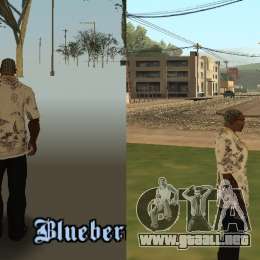
GTA V GTA IV GTA San Andreas GTA Vice GTA III GTA. GTA 3 and Vice City proper widescreen fix Versions 2012: I've made some minor changes a while back, and fixed. This video will show you how can you fix the Laptop not suppoprting full resolutions.Click here to subscribe and support:)to Wide. Aug 28, 2021 GTA San Andreas is such an epic game. All the nostalgic memories of being 12 years old and spending all summer playing this beautiful game. Taking over hoods, killing crooked cops, and drinking hot coffeeahh the memories. Playing this game on an old PS2 just simply won’t cut it anymore, that’s if you even still Continue readingHow to Play San Andreas Widescreen & Best Mods. Grand Theft Auto San Andreas Widescreen Fix. Supported exe version: v1.0 US. Installation: Download and extract the archive to the game directory, where the exe is located. Download and extract Widescreen Frontend Textures to the game directory (optional). Check the ini file for available features.