Is a trial version of Final Cut Pro available?
Download Final Cut Pro for macOS 10.15.6 or later and enjoy it on your Mac. Redesigned from the ground up, Final Cut Pro combines revolutionary video editing with powerful media organization and incredible performance to let you create at the speed of thought. My only direct experience with an M1 mac was at a large store, where they had one MacBook Pro on display, side by side with an Intel one. I had only some two minutes with it. Still, I was impressed, as most applications launched basically instantly. They had Final Cut Pro 10.4.10 on it, so it was NOT a 'universal' application - it was all Intel.
Final Cut Pro has been the standard by which all video editors are compared. I've switched platforms from a PC using Adobe Premiere to Mac's OS X using Final Cut Express HD. Compared to Premiere, Final Cut is blazingly fast and has a superior interface. Final Cut Pro and Final Cut Express HD have a near identical interface.
Yes, you can download a free 90-day trial of the latest version of Final Cut Pro.
When do the 90 days of the trial start?
Your free Final Cut Pro trial will expire 90 days after you open the app for the first time.
Where can I purchase Final Cut Pro when the 90-day trial expires?
Final Cut Pro is available exclusively from the Mac App Store. When you open the Final Cut Pro trial, the app tells you how many days remain before the trial expires. Click Buy in the alert to purchase Final Cut Pro at any time during the trial.
When you buy a Mac, you can add Final Cut Pro and Logic Pro preinstalled when you customize your Mac at apple.com. You can also get Final Cut Pro if you purchase the Pro Apps Bundle for Education, which includes Final Cut Pro, Motion, Compressor, Logic Pro, and MainStage.
What are the features and system requirements for Final Cut Pro?
Learn about Final Cut Pro features and system requirements.
What media formats are supported in Final Cut Pro?
Read about media formats supported by Final Cut Pro.

What cameras and devices work with Final Cut Pro?
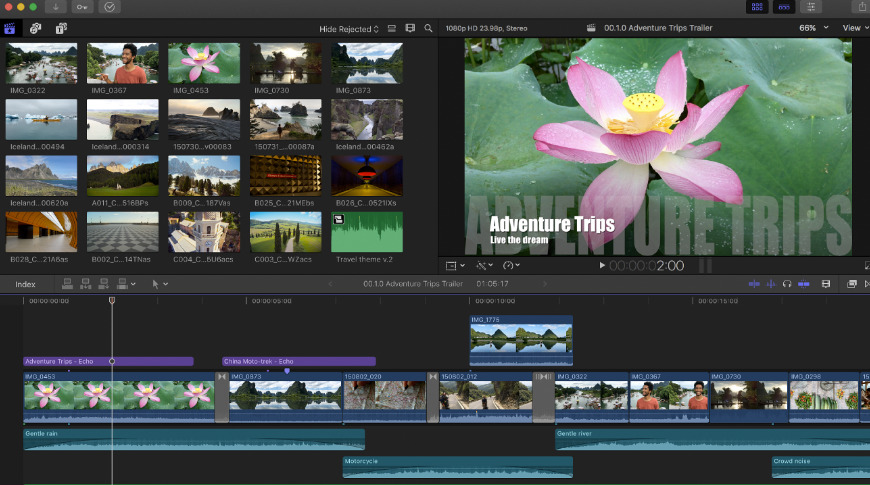
Learn more about cameras supported by Final Cut Pro.
Are there any support or training resources to help me troubleshoot and learn Final Cut Pro during my 90-day trial?
- Learn about the complimentary self-help support resources available for Final Cut Pro.
- Learn more about training resources for Final Cut Pro.
Can I use libraries and projects I create in the Final Cut Pro trial in the full version of Final Cut Pro when I purchase it from the Mac App Store?
You can continue to work with the same libraries and projects you created with the Final Cut Pro trial after you purchase and install Final Cut Pro from the Mac App Store.
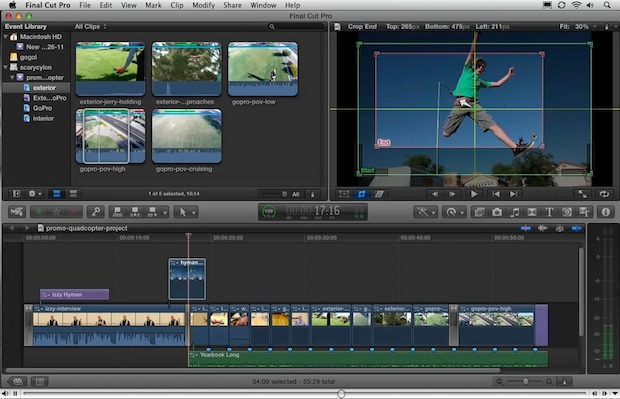
Does the Final Cut Pro trial have any limitations?
Final Cut Pro Additional Content, which includes over 1300 royalty-free sound effects for use in your projects, isn’t available in the Final Cut Pro trial. The trial is fully-functional otherwise.
How To Download Final Cut Pro X For Free On Mac
You can import media, edit, organize, add effects, color correct, export files in a variety of professional formats, and more. Get an overview of Final Cut Pro.
When I purchase Final Cut Pro from the Mac App Store or the trial expires, what should I do with the Final Cut Pro trial application?
Final Cut Pro For Mac
You can remove the Final Cut Pro trial after it expires. To delete the Final Cut Pro trial, locate the app in the Applications folder in the Finder, drag the app to the trash, then choose Finder > Empty Trash.