
May 04, 2021 This add-on is available for download to experience data interchange between Tally.ERP 9 Release 6 and Shoper HO SSV. After downloading the add-on, refer the documentation available as a.zip along with the add-on. To support Kerala Flood Cess in Shoper 9, we are providing an add-on with the following capabilities. Some of the latest versions of the Tally ERP 9 software are its latest releases such as Tally.ERP 9 Release 6.4.4 and Tally.ERP 9 Release 6.4.6. The latest version of Tally, Tally.ERP 9 Release 6.4.6 has a host of new functions. It was launched on July 5, 2018. Here are some key enhancements of Tally ERP 9 Release 6.4.6. Aug 01, 2020 Tally 9.0. This version also released in 2006, and updated version of 8.1.In this version, Multi Language support increased to 13. And new features like Payroll, Point Of Sale (POS) included in this. ERP stands for Enterprise Resource Planning. This is the version which can give industries a complete business solution. Tally Academy is an Authorised Tally Training and Tally Certification Center. We provide a one stop place for your Tally requirements, be it Tally Training, Tally Courses, Tally Certification, Tally Softwares (Tally 7.2, Tally 8.1, Tally 9.0).
Dear Friends, You know very well that inventory or stock is an important part of our business without any information of inventory you not able to calculate how much profit or loss you have on particular stock item. After reading this article you will be able to easily understand about introduction and history of Tally.
You know very well that Tally is accounting cum inventory software which provide different accounts, inventory features which different taxation part. You can also prepare payslips, attendance sheet and many more in the payroll report. Tally is widely used in different countries due to its user friendly features.
Introduction and History of Tally:
Introduction of Tally:
Tally Erp 6.4.9 Update Download
So, today we talk about the History of all versions of tally. The Initial Release of Tally was Tally 4.5 version. This is DOS (MS-DOS) based software released in the beginning of 1986’s. It had Basic Financial Accounting / Book Keeping Tools. Personal computers had gaining popularity in India those days. Peutronics (The Company that develops Tally) used this opportunity and put their Tally Version 4.5 on the market. Auditors and Accountants who used to maintain large volumes of hard-bound notebooks were amazed at the ability of Tally to calculate Balance sheets and Profit Loss accounts within seconds. All you need to do is just create Ledgers and enter vouchers. Tally will do the rest. It will create all the statements, Trial Balance and Balance Sheet For you.
The subsequent Tally releases are Tally 5.4, Tally 6.3, Tally 7.2, Tally 8.1 and Tally 9.0, Tally ERP (Enterprise Resources Planning). These release Include support for Inventory used to stock maintenance of the company, Payroll which used to employee salary calculation and wages payments and Multi Lingual support in Many Indian languages Hindi, Tamil, Telugu, Kannada, Malayalam, Gujarati, Marathi and more.
Must Read: What is Latest Features of Tally ERP 9
History and Versions of Tally:
Tally 4.5: This version MS-DOS support financial accounting system. It takes care of accounting activities only such as Ledgers Classification Vouchers Entry. It provides simple financial reports and bill wise analysis of debtors and creditors in the business.
Tally 5.0: This version is an upgraded version to tally 4.5 and it works in windows operating system Inventory modules is introduced in this version, which involves detailed inventory, structure invoicing and integrating accounting and Inventory records.
Tally 5.4: This version is an improved module over the version 5.0 where it is capable of converting earlier data formats in to the current data format. This is possible though Import of Data Facility.
Tally 6.3: Tally 6.3 is extended enterprise systems whereby it interacts with other system through ODBC (Open Data Base Connectivity) you and e-mail upload your financial records form tally.
Tally 7.2: This version is an integrated enterprise system provides different kind of taxes like VAT, TDS & TCS and Service Tax modules is introduced in this version.
Tally 8.1: Tally 8.1 is multi language support software. It supports 10 Languages includes is introduced in this version.
Tally 9.0: This version is an improved model over the version 8.1. it supports 13 Languages (Includes Foreign Languages). Payroll, POS (Point of Sales) modules is introduced in this version.
Tally.ERP9: This is the latest version which provides different features like remote access, much powerful data security, tally.net and many more.
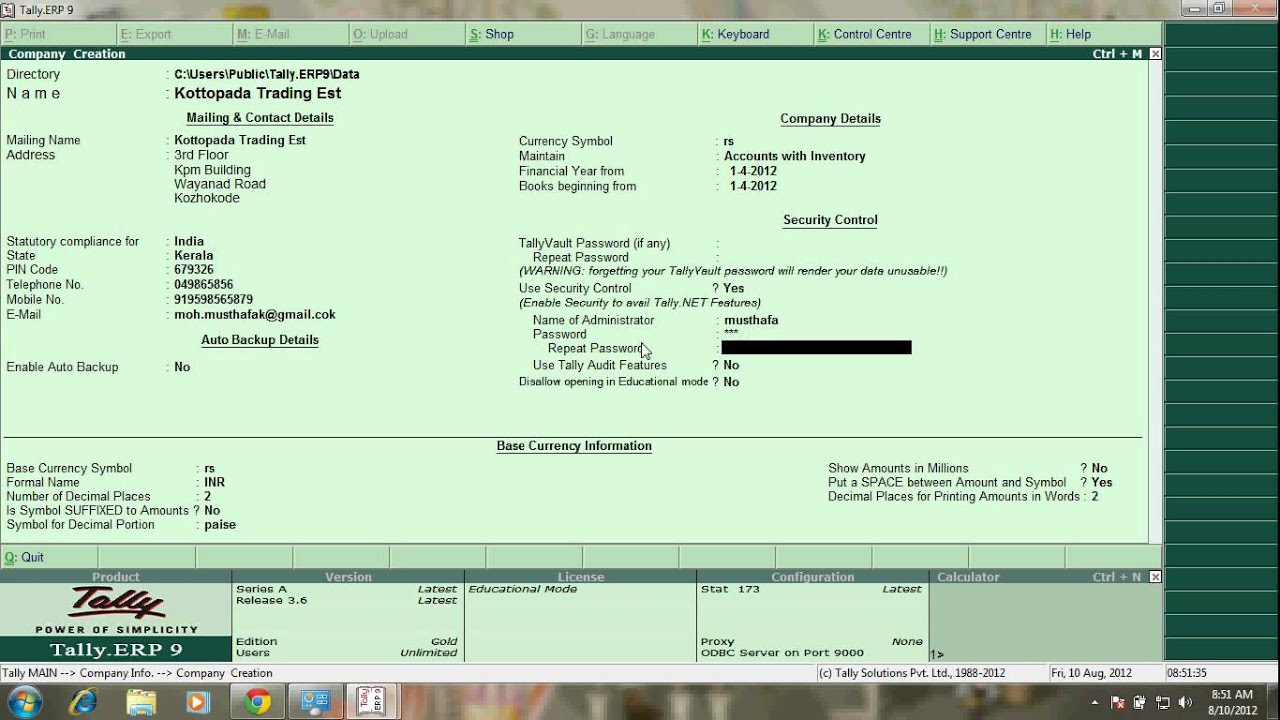
Old Version Of Tally Erp 9 Download
Must Read: How to use Import or Export in Tally
I hope you like this Introduction and History of Tally article from which you will be able to easily familiar with History of Tally without any extra efforts. If feel any problem in this guide then please use comment box. Thanks to all.
What is Tally? understand about Tally.ERP 9, its features, versions and its advantages and disadvantages.
What is Tally
Tally is an ERP accounting software package used for recording day to day business data of a company. The latest version of Tally is Tally ERP 9.
Tally ERP 9 Software is one acclaimed financial accounting system and inventory management system with power computer.
Tally.ERP 9 is one best accounting software that can integrated with other business applications such as Sales, finance, Purchasing, Payroll, Inventory, etc.
Tally software stores all the business transactions of each account in detail. Tally ERP 9 follows double entry accounting system and hence eliminates and rectifies possible errors.
Features of Tally

- Tally ERP 9 supports multi languages, so it is called as multi-lingual tally software. Accounts can be maintained in one language and reports can be viewed in another language.
- You can create and maintain accounts up to 99,999 companies.
- Using payroll feature, you can automate employee records management.
- Tally has feature of synchronization, the transactions maintained in multiple locations offices can be automatically updated.
- Generate consolidated financial statements as per requirements of company.
- Managing single and multiple groups are very important features of tally.
Versions of Tally
- The first version of Tally was Tally 4.5 and it was released in 1990’s. It is a MS-Dos based software.
- The second version of Tally was Tally 5.4 and it was released in 1996. It was a graphic interface version.
- The next version of Tally was Tally 6.3 and this Tally version was released in 2001. It is a window based version and supports in printing and implemented with VAT (Value Added Tax).
- The next version of Tally was Tally 7.2 and it was released in 2005. This version was added with a new features of Statutory complimentary version and VAT rules as per state wise.
- The next version of Tally was Tally 8.1 and it was developed with a new data structure. This version was added with new features of POS (Point Of Sale) and Payroll.
- Due to bugs and errors, a new version of Tally 9 was released in 2006. It has maximum features like Payroll, TDS, FBT, E-TDS filling, etc.
- Tally.ERP 9 is the latest version of Tally and released in 2009. This latest Tally ERP 9 package offering maximum features for small business industries to large business industries. It also updated with new features of GST (Goods & Services Tax).
Advantages of Tally ERP 9
- Tally ERP 9 software is a low cost of ownership and it can be easily implement and customize.
- Supports multi operating systems such as Windows & Linux and can be installed on multiple systems.
- Tally software utilizes very low space for installation and the installation of tally is an easy method.
- It is built in back up and restore, so the user can easily backup all companies data in a single directory, in a local system disk.
- Supports all types of protocols such as HTTP, HTTPS, FTP, SMTP, ODBC, etc.
- Supports multi languages including 9 Indian language. The data can be entered in one language and you can generate invoices, Po’s, delivery notes, etc in other language.
How to Buy Tally ERP 9
Step by step guide how to buy tally license for business.
- First, visit the official website of Tally Solutions i.e. https://tallysolutions.com.
- Click on Buy Now option from menu.
- If you want license for country India only, choose the option I want the license for India or for Internal license choose option as International.
- To check the prices as per country, choose the country name.
- Now you will have three options to buy tally.
- Choose “New License” to buy new tally license
- To upgrade or renewal of Tally license, choose the option “Renewal / Upgrade.
- For rental of tally license, choose the option rental and time period i.e. 1 Month or 3 Months or Annual.
- After choosing the required license, click on Buy Now
- Enter the required billing details and choose the mode of payment.
- Agree the policy and click on proceed to payment.
- Now enter the payment credential and make the payment for Tally license.
Note: For Renewal / Upgrade, you need to existing serial number of Tally license.
For complete details please visit tallysolutions[https://tallysolutions.com/].
After successfully purchase if Tally premium version, you can download Tally ERP 9 with latest version, install and activate with license key.