Put the file location and hit the Enter button. Step 7: Command prompt will take some time to crack the password, depending on its length and complexity. Use cRARk to Unlock RAR Password on Mac. You can use cRARk to unlock RAR file on Mac. CRARk is a utility available for both Mac and Windows users.
- Adobe Photoshop Cc Full Version Free Download Utorrent Mac Rar Password Recovery Mac Free Download Rhiannon Live Free Download Fleetwood Mac.
- Jun 24, 2020 Offline crack zip password, no need to worry about file privacy issues, and passwords within 3 characters, it is free to crack. And apart from cracking RAR password, it's also able to recover forgot Excel password, word document password, PDF password and more.
- 7+ Free RAR Password Unlocker Software Download. You can see RAR files mostly when you are downloading software or any digital content with a large file size. There are some times when the downloaded RAR is password-protected and you need to provide a password in order to extract the files. In cases where the password does not come with the download, you can check out the list below to explore seven free RAR password.
- recover your forgotten password on RAR archives.
Any Rar/WinRar versions 2.x-5.x are supported.
cRARk is the professional tool, it uses command-line interface, has no GUI.
cRARk is the freeware utility for Win32/64, Linux, Mac OS.
Features and limitations
Advantages of cRARk are:
- Absolutely free
- All RAR versions support, including the latest RAR 5.x
- One of the fastest RAR password recovery software, with the optimization for latest x86 instructions: AVX2, AVX, XOP, AES-NI, SHA extensions for Intel and AMD processors
- Support of GPU password recovery on NVIDIA and AMD GPUs using CUDA and OpenCL technologies
- Multi-volume, self-extracting, encrypted header archives support
- Unique PDL language which is extremely efficient if user remembers any information about a forgotten password
- Any (European) language support with native Unicode implementation
- Portability (Windows, Linux, Mac OS versions are available)
- No GUI, pause/resume feature etc
- No multi-core support, only one CPU or GPU is used
- Password length is limited to 28 symbols
Winrar Password Cracker Download
RAR security overviewRAR/WinRAR archiver version 2.x used its proprietary, but rather strong encryption algorithm. At least no RAR 2.0 attacks were known except brute force for password recovery.
Starting from version 3.0, RAR has been using a strong AES algorithm, which also doesn't allow any attacks more effectivethan the brute force. Besides, the key derivation function uses more than 70000 SHA-1 transformations and brute force rate on modern CPU is very low,only several hundreds of passwords per second.
RAR 5.0 encryption is quite the same, using PBKDF2 key derivation with SHA-256 hash and the rate is even slower (in 25-100% on differenthardware comparing to RAR 3.0). This means that RAR password encryption is one of the strongest between popular encryption systems in the context of brute force rate.
The most popular method used in packing files together in one folder is zipping them. The end result could be in a 7z, RAR or zip format. A user simply downloads a single ZIP file, unzips it and gain access to the contents of the file instead of separately downloading the whole bunch of files. However, most ZIP files are password-protected. You tried opening a ZIP file on Mac and was prompted to enter a password instead?
This post covers the various methods you could use to recover or crack zip passwords on Mac. Use the simplified methods explained below to unlock zip password on Mac.
Method 1: Recover Zip Password by Searching
If you usually write your passwords down in a notebook, chances are you have the password to your zip file lying somewhere in your notebooks. Search your notes for your passwords. If you store your passwords in a file on your device, you should also check such files for passwords.
Next, you should try the list of passwords you frequently use —this would be of help if you usually use the same password across various services. Also, if there's a password your family members often use for general devices or services, you should probably try such password.
Finally, if you were sent the document, you could just ask for the password. If a family member, friend or colleague sent you the file then they probably have the password to it. You should probably ask them for it. Nothing? Okay, please proceed to method 2.
Method 2: Use Terminal Utility to Crack Zip Password on Mac
To unlock zip password using Mac's Terminal Utility, first, you will need to open the Terminal utility. Follow the simple steps outlined below to open the Terminal on Mac:
Step 1: Look for it on Spotlight or Launchpad. Use the image provided below as a guide.

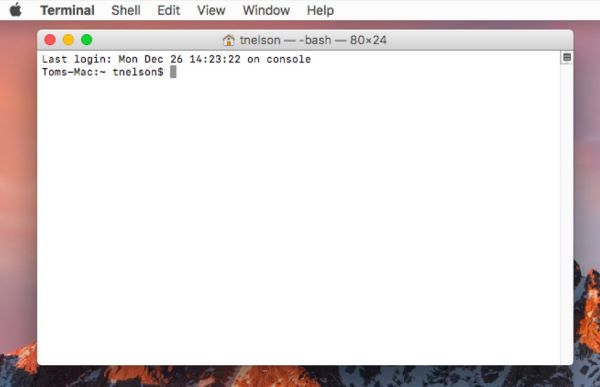
Step 2: Next, you launch the terminal and get ready to unzip the file, like in the image shown below.
Step 3: The terminal opens. In the Mac's Terminal, type in 'unzip -P password /path/to/zipfile -d /path/to/save/unzippedfile'
NOTE
You should replace '/path/to/zipfile' with the real path or device link to your zip file. Also, replace '/path/to/save/unzippedfile' with the path or destination you want to save the unzipped files to.
Step 4: Hit the 'Enter' key from your keyboard and wait a few seconds for the password to be displayed.
With the password displayed, all you need to do now is to copy the password and use it to unlock the zip file. To do this, double-click on the zip file you want to unlock and input the password you got from the terminal into the field provided for the zip password.
If you followed the steps above, you should have an unlocked password by now. So is there an easier method for all this? Yes. Here's a tip.
Tip: Best Tool to Crack ZIP Password on Windows
Alternatively, if you have access to a Windows PC, you could easily transfer the zip file to the Windows device and crack or recover the zip password without any technical knowledge of using terminals.
When it comes to cracking zip passwords, Passper for ZIP is the best tool for the job.
Look at Some Key Features of Passper for ZIP:
It provides you with 4 powerful attack methods, which guarantee a high recovery rate.
Armed with advanced algorithm and NVIDIA/AMD/GPU acceleration, the recovery speed is much high than other programs.
It is easy to use. With 3 simple steps, the correct password can be cracked and displayed.
It supports all ZIP archives created using WinZip, PKZIP, 7-ZIP, etc.
Steps to Unlock Zip Password Using Passper for ZIP:
Please follow the simple steps outlined below to unlock your zipped file using Passper for ZIP. Images have been provided to guide you through the process.
Step 1: Launch the software and add or upload the locked ZIP file to the software.
Step 2: Select your desired mode or technique of cracking. It depends on how much you know about the correct password.
Rar Password Cracker Freeware
Step 3: After making your choice of attack mode, next, click the 'Recover' button to start the unlock process. On completion, the password will be made available to you.
Conclusion
Zip files are used by millions every day due to the convenience they provide. Some users store confidential documents in them hence the need to protect the documents with passwords. This post has explained the possible means of cracking zip passwords on you Mac Operating System. However, there is not a single program can be used to recover password for ZIP archives. Good news is that Passper for ZIP is considering developing Mac version. Please leave a comment here if you are waiting for a Mac version of Passper for ZIP!