The SD photo recovery freeware support all kinds of SD cards, helping to recover deleted photos from any SD card as soon as possible. No matter what types of SD card it belongs to, if you can connect it with your computer and it is recognized as an external hard drive, the free SD photo recovery software can recover the deleted photos. Top 5 SD Card Photo Recovery software, free download for Mac 1# M3 Free Mac Data Recovery This is a good Mac data recovery program, this free program can be used to recover all types of data including videos, music, photos and documents among many others. Jul 02, 2021 To help you recover your deleted or missing photos from your SD card, run a powerful and reliable data recovery tool such as FoneDog Data Recovery. The tool works in both Mac and Windows OS. It helps you recover any type of file such as photos from any of your devices. If you are Mac users, you can try the following steps to recover lost photos from formatted SD card for free. First, connect SD card to your Mac computer. After that, install MiniTool Mac Photo Recovery on computer and then launch it. (Don't install this freeware on the SD card. Otherwise, the original data will be overwritten and there is no. SD Card Recovery. The world's first SD Card Recovery software for Windows and Mac, Quickly recover photos from any kind of SD card or digital camera. Recover not only photos, but also documents, video, audio, archive or other files. Preview photos before recovery. Easy-to-use interface let you recover data in just 3 simple steps.
Summary :
By using a reliable free video recovery program, you can easily restore your deleted or lost videos from PC, Mac, iPhone, Android, camera, etc. This post introduces top 5 free video recovery software for your reference. If you want the free video recovery software, video repair software, video converter, video downloader, video recorder, etc. you can find all of them from MiniTool Software.
Quick Navigation :
To recover permanently deleted videos or lost videos from PC, Mac, SD card, USB, iPhone, Android, etc. you can use a top free video recovery program. This post introduces 5 tools to help you easily recover deleted videos.
Best Free Video Recovery Software for PC
MiniTool Power Data Recovery is the top-recommended deleted video recovery software for Windows 10.
You can use MiniTool Power Data Recovery to easily recover permanently deleted videos, photos, audios, documents, etc. from Windows PC or laptop, SD/memory card, USB flash/pen drive, external hard drive, solid-state drive, etc. If you have lost some videos you need, you can also use this program to easily restore them.
MiniTool Power Data Recovery features an intuitive interface and simple operation. It is clean and free and lets you recover data in 3 simple steps.
Download and install MiniTool Power Data Recovery on your Windows 10 PC or laptop, and check the step-by-step guide below to retrieve deleted or lost videos from your computer.
Step 1. Launch MiniTool Power Data Recovery. Choose a device category and select the target location or drive in the right window.
Step 2. If you only want to scan video file type, you can click Settings icon next to Scan and only select Audio & Video. Click OK. Then click Scan button on the main UI to start scanning.
Step 3. When the scan finishes, you can check the scan result to find the target videos, check them, and click Save button. Continue to choose a new location to store the recovered videos.
Best Video Recovery Software for Mac
For Mac users, you need to use a Mac video recovery software to recover deleted videos.
Stellar Data Recovery for Mac is top recommended. This powerful Mac data recovery software can recover any deleted videos, photos, files, audio tracks, emails, and more from Mac computer and external drives.
It is compatible with macOS 10.7 and above including macOS Big Sur. You can use it to recover data from MacBook Pro/Air, iMac, Mac mini, HDD, SSD, USB, SD card, memory card, and more.
Besides, it also contains a video repair and photo repair feature that allows you to repair corrupted videos and photos. Disk imaging and drive monitoring are also supported.
Download and install this powerful data recovery software for Mac (clean and safe) on your Mac computer. Check the steps below to recover your deleted or lost videos.
Step 1. Launch Stellar Data Recovery for Mac on your computer. On the main UI, you can select what file type you want to recover. To retrieve deleted videos, you can only select Videos. Click Next.
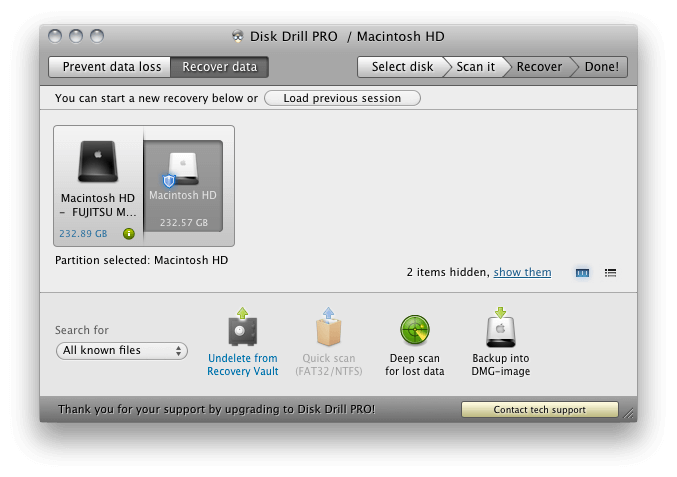
Step 2. On this interface, you can select the location to scan. You should select the target drive or device that you want to scan for deleted or lost videos. After selection, click Scan button.
Step 3. Browse the scan result to find wanted videos, check them, and click Recover button. Specify a new location to save the recovered videos.
This post teaches you how to open and use Windows 10 Camera app, how to download, install, uninstall, reinstall the Camera app on Windows 10.
Free iPhone Deleted Video Recovery Software
If you mistakenly deleted some videos on your iPhone and also deleted them from the trash folder, then they are permanently deleted. To recover the deleted videos from iPhone, you can turn to an iPhone video recovery program.
MiniTool Software team also develops a data recovery program especially for iOS devices. MiniTool Mobile Recovery for iOS allows you to recover deleted or lost data from iPhone, iPad, or iPod Touch. You can download this application on your Windows or Mac computer. Connect your iPhone or iPad to your computer, scan and recover videos from your device. It can also recover photos, contacts, messages, notes, etc. from your iPhone/iPad.
Other similar iPhone data recovery software includes Stellar Data Recovery for iPhone, Fonepaw iPhone Data Recovery, etc.
This post teaches you how to use the built-in Windows 10 Photos app to edit photos and videos in Windows 10 for free.
Best Android Deleted Video Recovery Software
Unlike iPhone, if you can remove the SD card from your Android phone, then you can use MiniTool Power Data Recovery or Stellar Data Recovery for Mac introduced above to recover deleted videos from Android SD card.
However, if you can’t remove the memory card from your Android phone, then you need to find professional Android data recovery software.
MiniTool Mobile Recovery for Android allows you to recover permanently deleted videos from your Android phone with ease. It supports all kinds of Android phones, tablets, and SD cards. It can directly scan your phone and recover data from it or scan your Android phone SD card to recover videos and photos from the SD card.
This program can recover any type of data on your Android device including videos, photos, audio files, messages, contacts, call history, WhatsApp data, documents, and more.
You can download and install this Android recovery software on Windows 10/8/8.1/7.
Free Camera/Camcorder Video Recovery Software
Cameras, camcorders, or drones also use memory card to store media contents like recorded videos and photos. If you deleted some videos from the camera, they are gone forever from the memory card. To get back the deleted or lost videos, a professional video recovery program that supports cameras helps.
Top recommendation for Windows users: MiniTool Photo Recovery.
MiniTool Photo Recovery is a professional photo recovery tool that can recover deleted/lost videos, photos, and images from various cameras/camcorders/drones. It can also recover photos and videos from SD cards, hard drives, USB drives, etc. Formatted/corrupted disk data recovery is also supported.
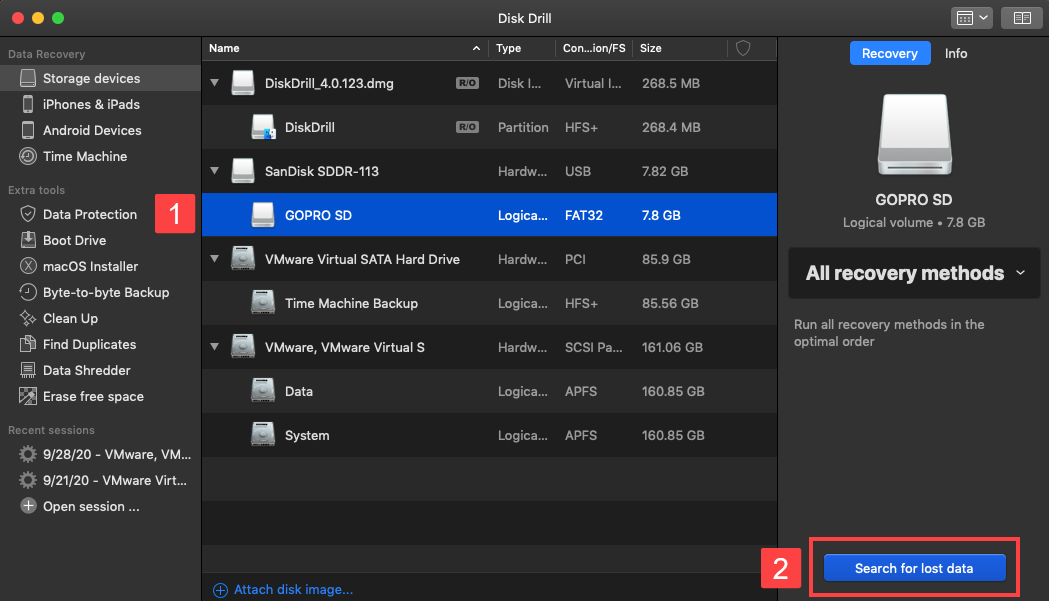
You can just connect your camera to your computer and select it to scan, then find and recover needed videos. You can also use an SD card reader to connect the camera SD card to your computer, scan the SD card and recover files.
For Mac users, Stellar Photo Recovery for Mac is top recommended. This tool helps Mac users recover deleted or lost videos, photos, music files from all popular digital cameras, SD card, USB, HDD, SSD, CD/DVD, etc. It can also repair corrupt videos and photos.
Can You Recover Lost Videos from a Formatted SD Card/Drive
If the memory card of phone or camera is accidentally formatted and all data are lost, you can also use a data recovery program to try to recover data from the formatted SD card. The precondition is you should stop using the drive or SD card immediately and don’t store new data on it. That’s because, the drive will be overwritten if you store new files on it, and it will cause the old data unrecoverable.
To recover data from a formatted SD card or hard drive, you can use the tools introduced in this post. MiniTool Power Data Recovery and Stellar Data Recovery for Mac both allow you to restore data from the formatted drive.
To Sum Up
This post introduces 5 tools to help you recover deleted videos from Windows PC or laptop, Mac computer, memory/SD card, USB flash drive, Android phone, iPhone, cameras, etc.
MiniTool Software also provides MiniTool Partition Wizard, MiniTool ShadowMaker, MiniTool MovieMaker, MiniTool uTube Downloader, MiniTool Video Converter, and more utilities for users.
If you have any issues with using these products from MiniTool Software, you can contact [email protected].
Video Recovery Software FAQ
Free Photo Recovery Sd Card Mac
- Storage Devices Supported
- File Types Supported
- File Systems Supported
- System Requirements
- Mac Computer Hard Drive
- Digital Camera
- SD/Memory Card
- USB Stick
- Removable Drive
- Pictures & Graphics
JPG, PNG, PSD, DWG, CDR, PSP, PCX, GIF, WMF, EMF, SWF, BMP, CRW, CR2, MRW, NEF, ORF, PEF, RAF, RDC, etc.
- Video & Audio
MP4, AVI, MTS, MKV, MOV, 3GP, FLV, WMV, ASF, RM, MP3, WMA, WAV, M4A, OGG, AIF, MID, MMF, etc.
Sd Photo Recovery Mac Free Online
- CPU: Intel Pentium Class
- Memory: 2 GB RAM (4 GB Recommended)
- Hard Disk: 250 MB of Free Space
- Supported Mac OSs: Mac OS X 10.7 and above
- Supported Languages: English, French, German, Italian, and Spanish