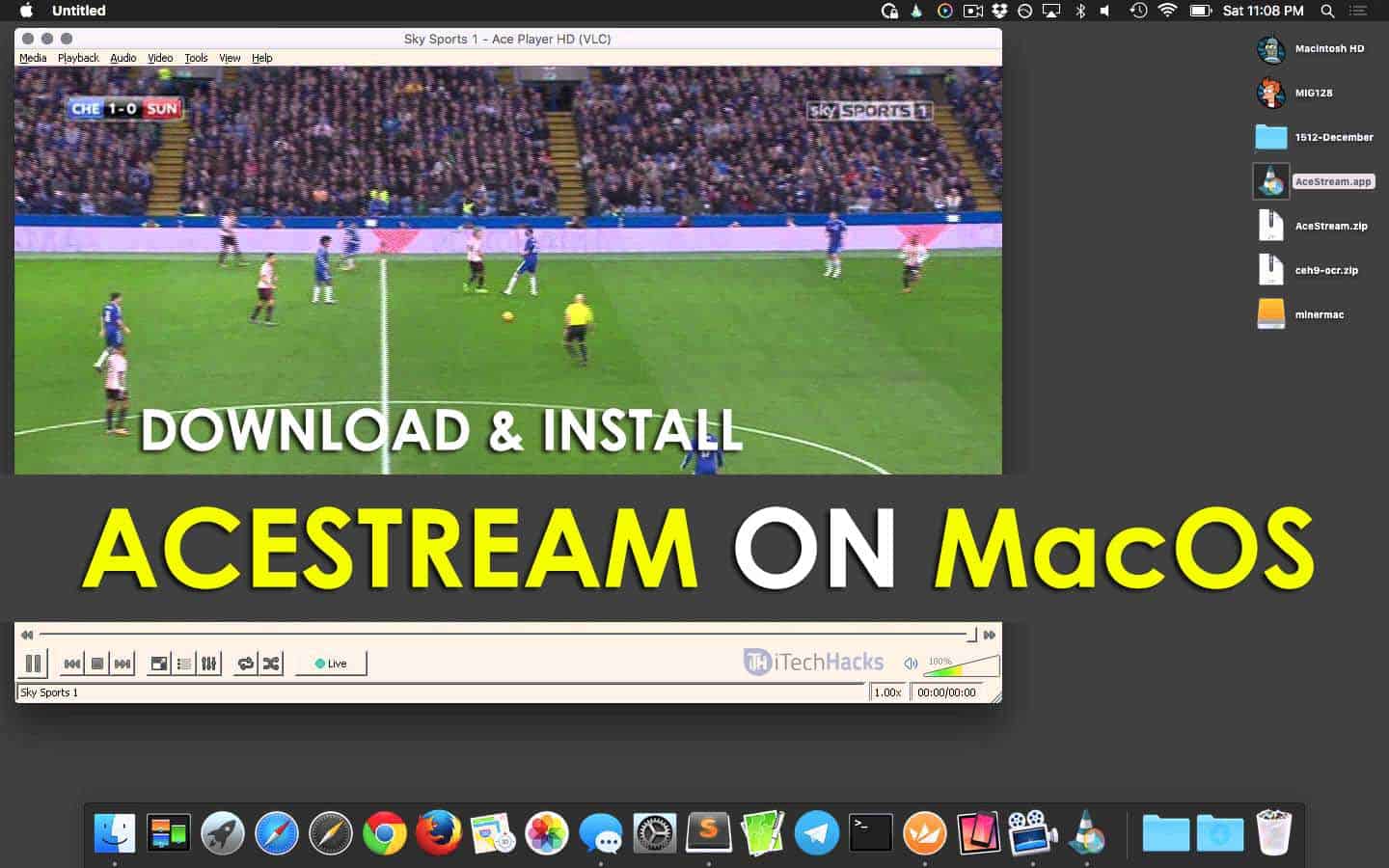
In Short Hacks: Are you a football sports lover over a MacOS? On Windows, you can easily run Acestream whereas the biggest issue with our MacOS is we cannot directly watch acestream on MAC. But Today, we will be going to discuss the best ways by which you can easily Download and Install Acestream and watch it freely in 2019.
People watch their favorite shows and stream live sports on their television sets. There are a number of channels which show live sports from all around the world! But, there might be situations where a particular sport is not live streamed on your television. If you are a fan of sports and love to watch live football matches, we have something which might price to be quite helpful for you. Acestream is your best option!
What is Acestream?
However, Mac users cannot directly make use of this service since Acestream software is not compatible with those devices. But, there are methods using which one can stream Acestream videos on Mac. Don’t Miss: How To Run AceStream on Windows, Android Download Acestream on your. This is an innovative media platform of a new generation, which will take you to a new high-quality level of multimedia space on the Internet. If you want to download MP3s via torrents, you can do that right here as well as listen to that music and manage your collection. Perhaps where this functionality really shines is being able to access a full HD movie via torrents and be able to watch that movie while its downloading rather than having to wait for it to finish. Acestream is designed for people who want to watch online videos and live streams without having to download content. Through Acestream you can watch content online and get a HD quality viewing. The software relies on P-P BitTorrent connections. This means that as more users watch a link or join a live stream, the connection won’t lag.
Acestream is a service which provides with live sports channels. This service uses a peer-to-peer sharing technique which means that you help others to stream videos while watching them. Similarly, you are streaming videos on Acestream with the help of other users. In Acestream you will get no-buffer issues and all the sports channels will work in High-Definition quality.
Features of Acestream include:
1. It supports a number of audio and video formats such as MP3, DVD, AVI, FLV, MKV, etc.
2. The content is free to stream. All you need is an Acestream account, which it can be made free of cost.
3. Acestream software is developed only for Android and Windows only.
However, Mac users cannot directly make use of this service since Acestream software is not compatible with those devices. But, there are methods using which one can stream Acestream videos on Mac.
Also Read: Top 5 Xbox One Emulators for Windows PC, MAC 2019
There are basically two methods by which you can run Acestream on your Mac. Here is the Method #1. Follow the steps below:
Step 1: First you have to download the Acestream file from the above Download Link
Step 2: Once the downloading is complete, you’ll require to copy it to your /Applications folder. (MacBook)
Step 3: After that, Tap right-click or CTRL-click it and Open it for the very first time.
Step 4: After it opens, now you need to find your Acestream stream ID. This will be big long characters. You’ll want to copy this string. (Follow the screenshots)
Step 5: Now go back and paste it! Done! You will get to stream acestream on your MacOS
Also Read: Download Cisco Packet Tracer Latest Version 7.2 MAC
Since Acestream media player is not supported on Mac devices, we will be making use of third-party media streaming apps to play Acestream links on Mac. Here, we will be using football links as reference.
Step 1-Download and install Soda Player on your Mac device.
Step 2- On your web browser, go to ‘FootballStreamings.com‘ this website and search for the link of the game you wish to live stream.
Step 3- In the new page, you will notice several options for you to select from. Copy the link by either right-clicking on the link or by opening the link on a new tab in your web browser.
Step 4- Now that you have copied the link of the game you wish to live stream, launch Soda Player on your Mac.
Step 5- Once launched, select ‘Open an Acestream link‘ option from the main screen. In the next page, paste the copied link in the dedicated text box.
Step 6- Be patient till the link is loaded and once the ‘Open‘ option appears, click on it.
Step 7- Again, wait till the link loads and the link which you have uploaded, will start streaming on your Soda Player.
This is how you can run Acestream on your Mac. Similarly, you can play other Acestream links on your Mac.

Also Read: Download OS X El Capitan on Mac .DMG (Working Link)
Conclusion:
Using the method listed above, you can play Acestream links in your MacOS in 2019 over Soda Player. The steps in this method are quite simple to understand and execute. Thus, you can easily play Acestream links on your Mac.
If you have any new method to play and Run Acestream links on your Mac, or if you have any queries regarding the method and steps listed above, then please let us know about it in the comments section below.
The post Download And Install Acestream on MacOS – Play Acestream Links appeared first on iTech Hacks.
High speed streams
Acestream is a multimedia platform that offers high-speed streams. You can watch your favourite videos online, without having to download them.
What does Acestream offer?
Acestream is designed for people who want to watch online videos and live streams without having to download content.
Through Acestream you can watch content online and get a HD quality viewing. The software relies on P-P BitTorrent connections. This means that as more users watch a link or join a live stream, the connection won’t lag.
Instead, Acestream shares the load across the users and increases bandwidth so your connection is speedy and secure.
You tune into your favourite live streams and videos as they happen in real-time, without waiting for content to load, or relying on a slow connection and bad video quality.
For those who want to quickly access Acestream, there are browser extensions available. You enhance your streaming experience by clicking on your browser toolbar and enabling Acestream. Experience videos in better quality, with no lagging.
One downside to Acestream is the fact that your connection is public. Other users, and your Internet Service Provider (ISP) can see that you are streaming content. If you don’t have the right to view something, especially if it isn’t available in your country, your ISP may issue a notice. It is possible to avoid this issue, however, by using a VPN to keep your Acestream connection hidden.
Where can you run this program?
This software can be run on desktops only. It works with systems operating on Windows, Linux and macOS.
Is there a better alternative?
There’s no denying that Acestream is a good software for reliable streaming. While there isn’t a better alternative to this software, you can try WebTorrent Desktop for a similar service.

Our take
Acestream is a simple program that enables you to livestream content without interruption. We think it works well and is simple to use.
Should you download it?
Yes. Download Acestream and start enjoying streams using their link. Enrich your viewing experience and avoid waiting for content to load.
Highs
- High streaming speeds
- Watch videos without downloading
- No need to download torrents
- Additional extensions for web browsers
Lows
Acestream Download For Mac
- Can cause issues with ISP
- Buffering is a problem
- Playback is unstable
ACE Streamfor Windows
Acestream For Windows 10
3.1.32