Jul 20, 2021 Step 3 Burn Videos to DVD with Best Free DVD Burner Alternative Mac. After changing the template, you can also edit other parameters like TV standard, aspect ratio, quality, and more on the main interface. You can then click the Burn button at the bottom-right corner to start burning videos to DVD on Mac. To complete the burn process, click the Burn icon next to the folder in the Finder sidebar, or press and hold the Control key as you click any disc, then choose Burn Disc from the shortcut menu. To burn a disc image (.dmg file) to a disc, Control-click the disc image file, choose “Burn Disc Image disc name to Disc” from the shortcut menu, then follow the instructions.
- Free Dvd Video Burner Mac Download
- Best Dvd Burning Software Mac
- Free Dvd Video Burner Mac Download
- Free Dvd Burner
“I burn my video files to a DVD on Windows using the built-in burning function; however, I get nothing after inserting the disc into my DVD player, what is wrong with it?”
- Free DVD Video Burner writes prepared folders VideoTS from your PC (hard drive) to a DVD disc which can be played on all home DVD players. Free DVD Video Burner contains no spyware or adware. It's clearly free and absolutely safe to install and run. Windows 10, 8, 7, Vista, XP SP3.
- This free DVD burning program allows you to burn videos, photos and music to a blank or used rewritable DVD disc (erasing it to reuse). What is more, it offers English, French and Spanish editions. The downside of this free Mac DVD burner is not updated for a long time.
Today, our digital devices become increasingly smart and can perform a wide range of tasks. Both Windows 10 and Mac offer a burning utility by default. However, it can only copy your files to optical disc and make a data DVD. Of course, you cannot play it if your DVD player does not support the file formats. To convert MP4 to DVD, you’d better follow the guide below.
Part 1: Ultimate Way to Burn MP4 to DVD
Converting MP4 to DVD format is not as difficult as you though if you have the right tool, such as Vidmore DVD Creator. It can create both NTSC and PAL DVD videos. For beginners, the well-designed interface lets you find what you want easily. Advanced users can customize various options to create desired effect.
Key Features of the Best MP4 to DVD Converter
- Burn MP4 to DVD disc/ISO/folder in three steps.
- Support a wide range of DVD menu templates.
- Keep the original video and audio quality.
Briefly speaking, it is the easiest way to burn MP4 to DVD on your desktop.
How to Convert MP4 to DVD Quickly
Step 1: Add MP4 files
Run the best MP4 to DVD converter after you installed it to your computer. Choose the DVD Disc option to open the main interface. Click the Add Media File(s) button at the top left side to add MP4 files you wish to write on DVD. Then insert an empty DVD into your drive and set Disc Type and other options at the bottom.
Step 2: Create DVD menu
After media importing, click Next button to head to the menu window. You can find some templates in the Menu Template tab on the right side. All elements of each template can be replaced. Plus, you can make personalized DVD menu template with your music and photo as well. Check No Menu if you want to play the MP4 on DVD directly.
Step 3: Burn MP4 to DVD
Click the Burn button to open the setting window. Check the box next to Burn to disc, and change the Burn settings based on your situation. Finally, click on the Start button to initiate converting MP4 to DVD immediately. The converter utilizes hardware acceleration to improve the performance, so you can get the video disc quickly.
After that, you can play the DVD or steam DVD to Chromecast as you wish.
Part 2: Free Methods to Burn MP4 to DVD on Windows and Mac
Though free MP4 to DVD converters have various shortcomings, they are popular among people who have limited budget, such as students. Here we share two free MP4 to DVD converters for Windows 10 and Mac.
Method 1: How to Burn MP4 to DVD for Free on Windows 10
DeVeDe is an open-source MP4 to DVD converter, so everyone can use it for free. If you do not mind the outdated interface and long process, try the steps below.
Step 1: Put a blank DVD into your PC. Open the free MP4 to DVD converter, and choose Video DVD to open the next window.
Step 2: Hit the Add button under Titles section and name the title. Then go to the Files section, click the Add button to add an MP4 video. Repeat it to add all source MP4 files.
Step 3: Set the DVD format in Default format section and check Create a menu with the titles if you want to add DVD menu. Then click Menu options button and create a DVD menu with your picture and music.
Step 4: Click Forward button to start burning MP4 to DVD.
After that, you can play the DVD on Windows Media Player directly. (Windows Media Player not playing DVD?)
Method 2: How to Burn MP4 to DVD for Free on Mac
DVDStyler is able to produce playable DVDs on Mac and Windows for free since it is an open-source project too.
Step 1: Insert an empty disc in your computer.
Step 2: Start the free MP4 to DVD converter on your Mac. Select Create a new project and set the options below, like Disc label and more. Click OK.
Step 3: When the template window pops up, enter a title for DVD menu and select a template. Hit OK to open the main interface.
Step 4: Go to the File browser tab on the very left side. Find the desired MP4 files, drag and drop them onto the Titleset Manager at the bottom.
Step 5: Polish the DVD menu and each item. For instance, go to the Buttons tab and add a button to each title. After that, click on the Burn button on the top menu bar to convert MP4 to DVD.
Part 3: FAQs of Burning MP4 to DVD
What video format is best to burn to DVD?
MPEG-2 can be the best video format to burn to DVD. It is also known as H.262. When it comes to burn a video DVD, most video formats are available.
Do MP4 files play on DVD players?
MP4 is a video format that is most notably used in portable video players, like iPhone. However, it is possible to play MP4 on a DVD player if it is on either a video CD or DVD.
Can ImgBurn burn MP4 to DVD?
ImgBurn is a free DVD creator for Windows 10/8/7. However, it can only make data DVDs. If you wish to burn MP4 to DVD, you have to create an ISO image using another program and then write it to DVD with ImgBurn.
Conclusion
This guide has shared three methods to burn MP4 to a video DVD. To create a playable disc for your DVD player, you cannot simply write the video files to an optical disc. That only makes a data DVD. Vidmore DVD Creator, one the other hand, can meet all your need to convert MP4 to video DVDs. Other problems? Please leave your message below.
'Is there DVD burning software allow me to burn a video to DVD on my Mac (Sierra)?' If you want to burn DVD on your Mac, you can find many DVD burner for Mac (10.13 macOS High Sierra included), such as Burn, iTunes, Disk burner, Disco, etc. This DVD burner for Mac can do the basic task on writing a disk quite easily. However, it is hard to decide which one is the best for you to create DVD and CD. No worry! Here we pick up top 10 best DVD burning software for your Mac OS X. They can work well when burning DVD on Mac and come with great compatibility, writing speed and DVD quality.
Cd burner mac free download - Express Burn Free CD and DVD Burner for Mac, Disc Burner, CD Session Burner, and many more programs. Wondershare UniConverter for Mac - The Best DVD Burning Software for Mac (macOS Catalina.
Top 11 Best Mac DVD Burning Software for Mac (10.12 macOS Sierra)
#1. DVD Creator (Mac)
iSkysoft DVD Creator for Mac (macOS High Sierra) provides all the features that all DVD burning software has and works better with more new features. It's a professional app that can help you to 'create DVD and burn to disc' with ease. You can enhance your video, transform photos to slideshow with transition and music, design a professional-looking DVD menu, and more.
The software has a very easy to use and user-friendly interface so that it can be easily used by a novice and a professional user. You can simply drag and drop the videos, select DVD menu or edit videos, and then click 'Burn' to start burning DVD. (iSkysoft DVD burning app for Windows is also availale.) Enhance your DVD burning experience with below wonderful features:
Key Features of DVD Creator:
- Brand new designed friendly-user interface.
- Burn DVD with high speed and no quality loss.
- Edit video including cropping, trimming, merging.
- Provide hundreds of DVD menu templates.
- Newly added slideshow maker and dvd ripper features.
#2. Filmora Video Editor (Mac)
Filmora Video Editor for Mac is not only a video editor, but also a DVD burner for Mac users to burn the edited video into DVD. You can import videos, photos and audio in any format, do video editing and effects applying, and then export the video to DVD for playing on TV and DVD player.
Key Features of Filmora Video Editor:
- Burn high quality DVD with videos, photos and background music.
- Apply free effects to the video including text, title, transitions, elements, overlays, PIP, etc.
- Edit video with tools like trim, split, copy, rotate, crop and join.
- Support all popular video formats such as MP4, MOV, AVI, FLV, and more.
Best Cd Dvd Burner For Mac
#3. Burn (Mac)
Burn is another Mac DVD burning app. It almost burns all types of files you throw at it. By dividing into 4 modes: Data, Audio, Video and Copy, you can burn data DVD for backup purpose and burn playable CD/DVD without any hassle. In Copy mode, you're able to copy DVD files (.dmg, iso, cue/bin, etc.) to DVD.
#4. Disk Burner (Mac)
CENTROMEDIA has not built a good looking website, but its DVD burner product - Disc Burner - is a useful DVD burning application. Different from other Mac DVD burner, Disc Burner not only lets you burn your music, photos, video and data to DVD, but also pay much attention to the data security. With it, you can easily protect your valuable data on CD or DVD.
#5. Disco (Mac)
Disco was formerly charged for $19.95. Good news is that everyone now can obtain the license for Disco, and bad news is that from July 2011 development and support of Disco have been officially discontinued. Disco was a popular DVD burner app with an elegant user interface. It lets you burn playable CD/DVD by dragging and dropping files to the program.
#6. Simply Burns (Mac)
Simply Burns is another DVD burning app for Mac. As its name indicates that it has a simple interface that allows you to burn DVD with no fuss. With Simply Burns, you can burn videos, as well as images into DVD. And it has the function of creation of audio and coping media. Simply Burns now supports Mac OS X 10.4 and 10.6.
#7. iTunes
iTunes is a program to burn DVD on Mac that not just allows you to easily organize, buy, play media files, but also lets you burn your media files including iTunes Radio, TV shows, movies and music to DVD. You can create a new playlist on this Mac Mavericks DVD burning tool and drag the files you want to add to the playlist. Then control-click on the playlist and select Burn Playlist to Disc to start burning.
Mac Cd Burner Download
- Pros: Improved search capability. New Colorful interface in new version.
- Cons: Heavy consumption of resources.
- Platforms: Windows, Mac, Linux, Android
#8. Finder
It is the default file manager found as well as burning software for DVD and CD in Mac. To burn discs with your computer, you do not need a third party program. To do so, you can insert empty disc into the SuperDrive. A window will show up on the screen, select the Open Finder and click OK. On the left side, under Places, you will find a list call Untitled DVD. You can rename it. Now, drag and drop the files you wish to burn to the list. Control-click on the list and select Burn option. On the pop-up window, click Burn button.
#9. iDVD
iDVD is a popular Mac Mavericks DVD burning software from Apple. This tool can work well for the creation and authoring of DVDs. iDVD gives the user the capability to author and burn music, photos and movies to widescreen DVD using the internal Mac DVD burner or external device. You are able to preview your creations before burning, which will save you many wasted discs.
- Pros: Easier to include DVD menus. Easily integrates with iTunes, iMovie and iPhoto.
- Cons: Does not work well with huge video files. Not suite for the professional.
- Platforms: Mac OS X
Free Dvd Video Burner Mac Download
#10. FirestarterFX
Written in Cocoa for Mac OS X, FirestarterFX allows you to duplicate all types of CDs (even those that are not recognized by other Mac OS X applications), burn to SVCD and VCD as well as providing access to a unique set of features like overburning. FirestarterFX is the ideal tool for burning disc images created in the PC world and is able to handle bin/cue files perfectly, which are common on Windows but hard to burn using other tools.
- Pros: Burn at high speeds, utilizes buffer under-run technology that helps avoid wastage of media and access to CDDV for CD-Text automatic creation.
- Cons: FirestarterFX will not copy DVD-Video or encode your videos to other formats like DivX, MPEG1, MPEG2 or MPEG4.
- Platforms: PPC/Intel, Mac OS X 10.4 or later
#11. LiquidCD
LiquidCD is another DVD burning program for Mac. It is easy to use and allows you to import photos and videos and burn to DVD. You can add music files and burn to CD. Besides, it also helps you to burn the data to DVD and burn Dreamcast CDS.
- Pros: It is simply to use and support many formats.
- a Cons: There might be manu bugs while burning DVD.
- Platforms: Mac OS X 10.4 or later
Related Articles & Tips
by Christine Smith • 2020-10-28 17:38:25 • Proven solutions
Are you looking for a DVD burner for Mac with the similar DVD making features of iDVD? You are right here. We'll introduce the best DVD burning software that provides you several great functions for both Windows and Mac and then learn the top 10 free DVD burning software for Mac with simple Mac OS X features, which will help you burn videos to DVD with easy steps.
10 Practical free DVD burning software for Mac
1. Wondershare UniConverter for Mac - The Best DVD Burning Software for Mac (macOS Catalina Included)
Wondershare UniConverter is a versatile and all-in-one video solution tool, which not only burning 1,000+ video formats to DVD/Blu-ray disc but also provides you a list of video-related functions. With this Mac DVD burner, you can create your playable DVD with attractive free DVD menu templates and edit videos quickly before burning. Also, you will be amazed at its fast burning speed and high-quality output. Moreover, you can also convert, edit, download, record, organize and watch videos in various formats with the tool.
Wondershare UniConverter - Your Best DVD Burner for Mac
- Burn videos to playable DVD with attractive free DVD menu templates.
- Burn videos to DVD/Blu-ray disc on Mac with super-fast speed and high-quality output.
- Customize DVD settings with DVD Label, Menu Type, Aspect Ratio, TV Standard, etc.
- Edit videos with cropping, trimming, rotating, adding watermark, and others before burning.
- Support 1,000+ video formats, including MP4/MOV/AVI/WMV/MPEG and others.
- Download or record videos from YouTube and other 10,000+ video sharing sites by pasting URLs.
- Versatile toolbox includes fixing video metadata, GIF maker, casting video to TV, video compressor, DVD copy, and screen recorder.
- Supported OS: Mac OS 10.15 (Catalina), 10.14, 10.13, 10.12, 10.11, 10.10, 10.9, 10.8, 10.7, 10.6, Windows 10/8/7/XP/Vista.
How to Burn Videos to DVD with Wondershare Best DVD Burner for Mac?
At the very beginning, you should first download and install Wondershare UniConverter on your Mac, and it's free to download and fast to install; just get in from the link below and then follow the steps to burn videos to DVD on Mac.
Step 1 Add Videos to the Best DVD Burner for Mac.
Open Wondershare UniConverter on your Mac. After that, choose the DVD Burner section on the main interface. Click the Add Files button at the top-left corner of the interface, and add the videos you want to burn to DVD. Or you can directly drag and drop the videos into the program.
Step 2 Select DVD Menu Templates.
Click the Edit icon on the right panel of the interface to enter the DVD Template window, and then you'll be able to preview and change the template you want to use with the DVD. Once you have selected a menu template, click the OK button to confirm.
Step 3 Burn Videos to DVD with Best Free DVD Burner Alternative Mac.
After changing the template, you can also edit other parameters like TV standard, aspect ratio, quality, and more on the main interface. You can then click the Burn button at the bottom-right corner to start burning videos to DVD on Mac.
Video Tutorial on How to Burn Video to DVD on Windows, Similar Steps for Mac
If you're Windows users, please watch the video guidance below. You can also follow similar steps when using a Mac.
If you want to know how to convert DVDs on Mac, just move to How to Convert DVD to Video on Mac >> to learn more.
Best Cd/dvd Burner For Macbook Pro
2. Burn
Burn has gained a wide reputation for burning all types of files to DVDs for backup or DVD players. You can even use Burn for Mac to copy DVD files, including .dmg, iso, cue/bin, etc. It also supports authoring simple interactive DVD menu like commercial DVD movies. It's the all-in-one DVD burning toolkit like ImgBurn for Windows, an open-source DVD burning software for Mac on SourceForge.
3. BurnX
Don't confuse it with Burn. BurnX is another free DVD burner for Mac and Windows, and HernanSoft develops this program. With a simple and user-friendly interface, BurnX lets you burn playable CD/DVD by dragging and dropping files to the program. It is similar to Wondershare DVD Creator for Mac(Catalina Included), which supports dragging and dropping files to burn DVD with high quality. All popular video formats are supported, including MP4, FLV, AVI, and so on.
4. Simply Burns
It is another Mac DVD burning software with a simple interface to help you to burn videos into DVD. The application provides functions like coping media, ripping, creating audio, and burning images into DVD. This program is straightforward to handle, and even novice users can burn DVDs on their Mac computer with easy steps.
5. Express Burn
Express Burn is another reliable and free DVD burner program for Mac. It supports you to burn videos to Blu-ray, HD-DVD as well as ISO images. The user interface is easy and intuitive, so you will immediately know how to use it at first sight.
6. Disc Burner for Mac
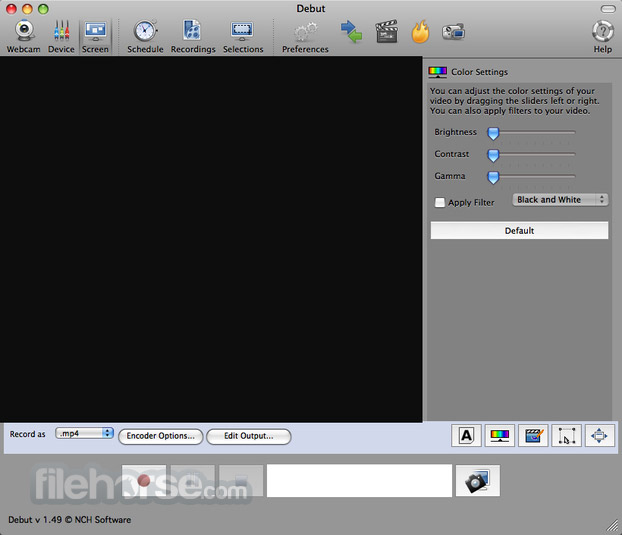
Disc Burner for Mac is an all-in-one video burning tool for Mac. It enables you to organize the contents, store all your digital content on the Disc and burn to DVD as well as ISO file. Another great feature is that it has an option to take an image file from a DVD to your local hard drive.
7. Bombono DVD
Bombono DVD is reliable software to burn DVDs on Mac, allowing the users to create duplicate files of any kind of CDs. It can recognize the CDs which are not recognized by other Mac OS X applications. It can be used to burn SVCD and VCD and also provides access to some features like overburning. It can be an excellent tool for burning images from discs. This homepage of this Bombono DVD offers the key features of this program, which will help you learn more about this DVD burning software.
8. LiquidCD
Best Dvd Burning Software Mac
Although the homepage of LiquidCD is humble, the program is a great free DVD burning software for Mac. Like Burn, it allows you to burn almost any CDs and DVDs media, and this program fully supports multiple languages, including English, French, German, Spanish, and Danish. There is a forum for users to ask and answer questions, but it's in French. Pay a visit to this free Mac DVD burner's homepage, and you'll learn more about this program.
9. Finder
Finder only burns data DVDs. It can be found by default in Mac, which helps burn the discs and does not need a third-party program. It can be done by just inserting a disc into the SuperDrive. Select Open Finder on the Window, which appears on the screen and clicks on OK. Under Places, the Untitled DVD can be renamed. Now the users can drag and drop the files to be burnt to the list. Click on the list and then on the Burn option. A pop-up window will appear on which the user has to click on the burn button.
10. iDVD
Free Dvd Video Burner Mac Download
iDVD is another easy-to-use DVD burner with a simple interface that will help you burn videos into DVDs on a Mac computer with easy steps. This DVD burner program for Mac focuses on the ease of use and can help users to manage the whole burning process easy, even if the user is new to the field of burning DVDs.
Conclusion: Choose your favorite DVD burning software from the top 10 list above. And Wondershare UniConverter is always the most recommended one as its super fast burning speed and high-quality output, and multiple functions. FREE DOWNLOAD to have a try!