2) Click the icon on the top left and click Edit Cut from the menu bar. Longman dictionary macos. You’ll see the old icon pop right back in where it used to be. Changing the icons for your folders and files can be quite handy. And once you get the hang of the steps, you can continue changing those icons very quickly. Are you going to change your. Folder Icon X is an Mac OS X-native application providing a simple way to create a customized folder and document icons by placing another icon on a standard plain icon. It fully supports 'drag. Download mac folder icon x for free. Theming downloads - Folder Icon X by Narattaphol Charoenphandhu and many more programs are available for instant and free download.
Links / Help
- How to use Mac icons
- Mac OS X 10.6 Snow Leopard - Icon files by Apple. Publication date 2009-08-28 Topics macOS, Mac OS X, icons, icns, iconset. Download 4 files.
- On your Mac, copy the picture you want to use to the Clipboard. One way to do this is to double-click the picture file, which opens it in the Preview app, then choose Edit Copy. Select the file or folder whose icon you want to replace, then choose File.
- Free Icon Sets for Mac OS X and Microsoft Windows. Section: Icon Sets. Submit Icon Sets. Icon Sizes: ANY. Patrick's Day Bottle Cap Icons. The perfect folder metaphor now in six.
- Free Icon Sets for Mac OS X and Microsoft Windows. The perfect folder metaphor now in six carefully crafted icons. Mac Leopard 512 x 512 pixel.
On your Mac, select the file or folder whose icon you want to use, then choose File Get Info. At the top of the Info window, click the icon, then choose Edit Copy. Select the other file or folder, then choose File Get Info. Click the icon at the top of the Info window. Choose Edit Paste. The folder icon is replaced with the picture you.
Setting Icons In Mac OS X
To customize a desktop icon manually in Mac OS X, you need to access the Finder's 'Inspector'. The inspector is shown or hidden when you press Command-Option-I with an item selected. Opening the Inspector for an item reveals various types of information including what the current icon is set to.
Free Folder Icons For Mac Os X
Here is a step-by-step guide for setting a folder icon:

- Select a file or folder that has the icon you want to use.
- Press Command-Option-I to bring up the Inspector panel.
- Click on the icon once. You should see a highlighted border around the icon.
- Press Command-C to copy the icon. Do NOT close the inspector panel.
- Select the file or folder that you want to customize.
- Click on the icon in the Inspector panel again and press Command-V to paste the icon.
That's it! If you don't see the icon immediately update, you may need to log out and back into Mac OS X for the change to take effect. You can now close the Inspector panel safe in the knowledge that your icon has been customized. If you ever want to clear any custom icon you've applied, just open the inspector for that item, select it and press the 'Delete' key or Command-X to cut it.
Download Folder Icon Mac Os X
You should note that there are certain icons in the operating system that simply cannot be changed. Still others can only be customized using a separate application like The Iconfactory's own CandyBar utility. CandyBar lets you quickly and easily replace all of the icons in the Mac OS X system folder as well as the Finder's toolbar icons, trash can and Dock icons. Please visit the CandyBar home page for more information about this product.
29 images of mac icon. You can use these free icons and png images for your photoshop design, documents, web sites, art projects or google presentations, powerpoint templates. Free icons png images that you can download to you computer and use in your designs.Please, Do not forget to link to MAC ICON page for attribution!
Thanks for choosing us!
Free Mac Transparent Background
Steel Mac Classy Folder Icon
Brushed Metal Apple Mac Icon
Gray Icon Apple
Apple Mac Icon
IMac Icon
Apple Icon
Happy Mac Icon
Apple Icon
Apple Classic Logo Icon
Fruity Apple Mac Icons
Apple Touch Icon
Mac Folder Png
Mac OS X Lion Icon
Mac Folder Icon Png
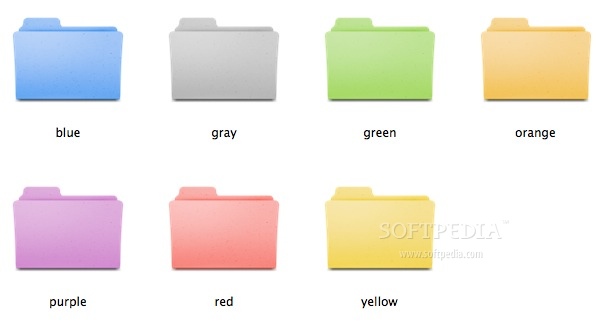
Ocean Blue Mac Icon
Icon Image Free Mac
Glossy Apple Icon
IMac Icon
System Mac Icon
Client, Mac Icon