
Newest Garageband For Mac Free Download. Yanmar Ym 2016 Manual. Sims 4 Mac Download Size Requires compatible server with configured Touch ID policy, as well as a Mac with a configured Touch ID sensor. I was using the SonicWall NetExtender client under 10 7 and it worked After upgrading to 10. Once the NetExtender stand-alone client has been installed, Windows users can launch NetExtender from their PC’s Start Programs menu and configure NetExtender to launch when Windows boots. Mac users can launch NetExtender from their system Applications folder, or drag the icon to the dock for quick access. Mac OSX NetExtender 8.1.788.dmg Netextender 8.0.785.dmg Netextender 7.0.741.dmg Netextender 6.0.719.dmg Windows Global VPN 32bit Global VPN 64bit. Mac OS Dell Sonicwall Mobile Connect v4.0.3 Download Dell Sonicwall Mobile Connect v4.0.8 Download Dell Sonicwall Mobile Connect v4.0.16 Download. OpenVPN Version 2.4.3-I602.exe Windows. Sonicwall Netextender Client For Mac Download Configuring Tunnel All Mode. Select Enabled from the Tunnel All Mode drop-down list to force all traffic for NetExtender users over the SSL VPN NetExtender tunnel—including traffic destined for the remote user’s local network. This is accomplished by adding the following routes to the remote. SONICWALL NETEXTENDER DRIVER FOR MAC DOWNLOAD. Report issues downloads security center. Sonicwall global vpn, download. Netextender linux.
First of all, I thought it might be a good idea to explain what NetExtender and OS X El Capitan are...
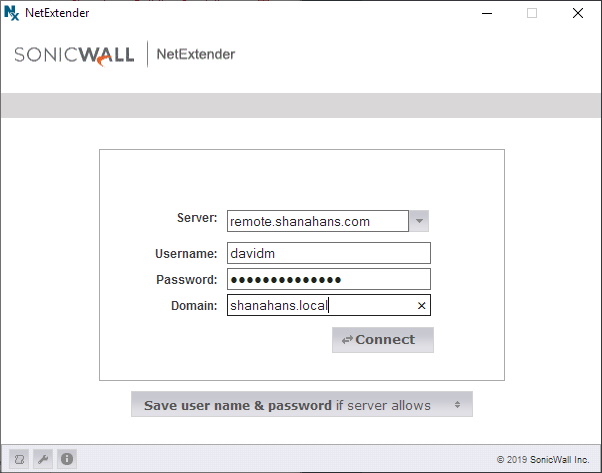
NetExtender is an SSL VPN client for Windows, Mac, or Linux users. NetExtender allows remote clients seamless access to resources on your local network.

OS X El Capitan is the twelfth major release of OS X, Apple Inc.'s desktop and server operating system for Macintosh.
The issue at hand is that if you are trying to install NetExtender through the app store/ the internet on OS X El Capitan, you might get stuck and be in a position where you are unable to connect to the VPN server, displaying messages regarding disconnecting etc. If you check the logs, it will display this...
However, if you try to run the following command (Which is displayed within the error log), then this will also fail.
In the update of El Capitan, there is a brand new feature called ‘System integrity Protection’ in OS X El Capitan. This ultimately restricts the root account to perform certain actions.
SIP is a security technology in OS X El Capitan that is designed to prevent malicious software from being able to edit software, folders and files on your Mac. Previous to this update, the root user had no permissions, meaning it was able to access any file/folder/app on that machine. Software progressed and then added the feature where it requires an administrator name and password to help restrict access to folders and files used by different users.
The Steps to Solve ‘disconnecting’ with NetExtender on OS X El Capitan
Please first make sure that NetExtender has been installed prior to the steps below!
1. Restart your Mac in recovery mode (hold CMD+R during restart)
One other way to do this would be Clicking on the Apple logo at the top left of the screen > Select ‘Restart’ > Immediately hold down the command key (⌘) and R key. This will then display the following box. Here, click Utilities.
2. Go to Utilities menu and open Terminal and type in the command ‘csrutil disable’
3. Once done, restart the Mac again and run the command ‘sudo chmod u+s /usr/sbin/pppd’ and then install NetExtender again. Try connecting to VPN and confirm it works this time.
4. Restart Mac again in recovery mode and run command ‘csrutil enable’
Sonicwall Netextender Download For Mac
Sources: