- Best Free Cd Burning Software For Mac Pro
- Burning Software For Mac
- Best Free Cd Burning Software For Mac
- Best Free Cd Burner Download
- Best Free Cd Burning Software For Mac Computers
- Best Free CD/DVD Burner for Mac in 2020. Most of the CD/DVD burning programs we have seen above are either premium or freemium. However, at least a few of you would be looking for a completely free CD/DVD burning software, we have found a good collection for you. Burn is an entirely free and open-source DVD burning software for Mac out.
- Dragon burn 4.5 is the professional audio CD burner software for Mac users. This software allows you to burn the audio, video and other files professionally on your system. It supports writing CD or DVD from the single or multiple sources without any issue.
- Alternatives to the Best Burning Software for Mac. Burn is an open-source, free alternative to the best DVD burning software for Mac 2021. It has an incredibly user-friendly interface and gained a wide reputation for doing basic burning tasks. You can even use Burn to copy DVD files (.dmg, iso, cue/bin, etc.).
Summary: Looking for the best burning software for Mac? Check out the top 5 best DVD burning software for Mac 2021 to successfully and quickly burn videos to disc.
Ashampoo Burning Studio Free: a cd burner software, solid and easy to use. Ashampoo Burning Studio is cited to be one of the best customers’ choices. It copes with any burning tasks, whether it is about making data CDs or DVDs, backups, or disk images. The burning software is absolutely free of charge, although it does require registration.

When large media files occupy much storage on a MacBook/MacBook Pro/iMac Pro, etc., you may need to create a DVD for backing up data. However, there is a stack of DVD burner software for Mac on SourceForge or other download sites, making you feel confused and not sure which one is best. Well, this post will give you the most satisfactory answer.
Best DVD Burning Software for Mac 2021
Cisdem DVD Burner makes it easy to burn DVD on Mac Big Sur or before. Useful features:
- Few clicks to create instant DVDs
- Support any SD & HD video formats like MP4, MKV, AVCHD, etc.
- Provide free templates in various styles and themes
- Build a professional-quality DVD menu
- Import backgrounds (image & music) to menus
- Alter the aspect ratio
- Edit videos with the crop, rotate, add subtitle, apply effects, etc. tools
- Preview videos in real-time before DVD burning
- Compatible with OS X 10.10 or higher, including macOS Big Sur 11
The Best DVD Burning Software for Mac 2021
Best Free Cd Burning Software For Mac Pro
In my tests, Cisdem DVD Burner was rated as the best DVD burning software for Mac 2021. It covers all DVD burning features you need.
It's specialized in burning video from over 150 formats to playable DVDs.
This best Mac burning software has more advanced functions than the free one to meet the demands of users. It allows you to add audio tracks, watermarks, and subtitles to your DVD video, and lets you get more special effects. You can also customize a DVD menu for better playing navigation.
Download the best burning software for Mac below and install it, I will show you how to use it. Note: Cisdem DVD Burner promises to always run on the latest system, like macOS Big Sur.
Step 1. Add videos into the program
Insert a blank DVD into your Mac slot.
Click 'Add videos' in the middle to browse video files. Or drag-n-drop media files from the local folder to the software.
Step 2. Edit videos
Click under the video thumbnail to call up an editing window. There are some built-in editing options, like crop, effects, watermark, rotate, subtitle, chapter, etc. You can edit videos to make them more personalized.
Step 3. Make a DVD menu
Click the 'Menu' tab to go to the DVD template interface, and then you can make a DVD menu by adding free templates, background, music, and text, etc.
Step 4. Burn videos to DVD
Click to preview your adjustment.
Then click to switch to the output setting window. Simply specify the output parameters, click 'Burn' to start fast burning.
Cisdem DVD Burner for Mac Big Sur
- Deal with DVD burning flexibly
- Burn videos in multiple formats to one DVD
- Create DVD 5, DVD 9, DVD folder, or ISO image
- An integrated video editor
- Add background music & subtitles
- Keep high quality
Alternatives to the Best Burning Software for Mac
#1. Burn
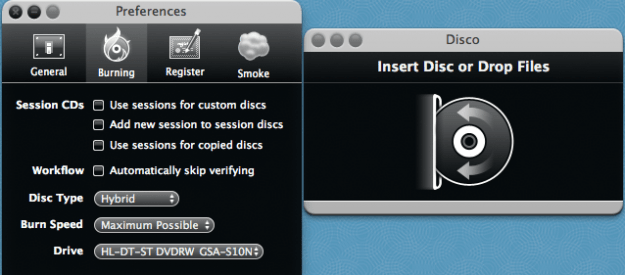
Burn is an open-source, free alternative to the best DVD burning software for Mac 2021. It has an incredibly user-friendly interface and gained a wide reputation for doing basic burning tasks. You can even use Burn to copy DVD files (.dmg, iso, cue/bin, etc.). It supports authoring simple interactive DVD menu like commercial DVD movies and supports macOS Catalina or higher including macOS Big Sur. Below we will show you steps to burn video to DVD.
1. Launch Burn on MacBook and click the video tab, then name your DVD and choose “DVD” from the pop-up menu.
2. Click “+” to add your video files or directly drag files right into the burn file list. Most video files are supported, if the video format is not compatible, Burn will ask you to convert it to the right format. So some videos will require conversion in order to burn DVD perfectly.
3. Insert a blank DVD and click the Burn button to start to burn your video files. And your MacBook will display a dialog indicating the DVD is burning. When this process is finished, you will gain a perfect DVD.
Pros:
- Only need several steps to burn CD/DVD on Mac
- Different tabs for different burns
Cons:
- Don’t offer much assistance or documentation
- Lacks custom options
Burning Software For Mac
#2. iDVD
iDVD is another alternative to the best burning software for Mac. It has a simple interface and focuses on ease of use. Meanwhile, iDVD allows you to author and burn music, movies, and photos to widescreen DVD with the help of an internal Mac DVD burner or external device.
- Run iDVD on your Mac and go to 'File / One Step DVD from movie…' from the menu bar.
- Add the video that you need burn to DVD with iDVD and wait for its loading.
- Insert a blank writable DVD disc into your SuperDrive, and iDVD would start burning video to DVD on Mac.
Pros:
- Instructions are clearly given for first-time users
- The burning process is quite easy fast and smooth
- Contain some practice features
Cons:
- Support few file formats
- Problems may happen when dealing with large size video files
- Only available in the boxed copy of iLife '11 until iLife '13 now (discontinued by Apple since Mac Lion)
#3. Express Burn
Express burn, presented by NCH software officially, is one of the best burning software for Mac and Windows. It supports a wide range of audios, videos, images and data to burn, and gives you the right to handle ISO/Joliet, Hybrid, and UDF. As an ideal alternative to the best Mac DVD burning software 2021, it is absolutely competent.
- Launch Express Burn, a window will pop up automatically. Select a type of disc to burn.
- Click the “Add File (s)” or “Add Folder” option on the “Video” tab to add videos to include.
- Place a blank disc, and then burn DVD by clicking the “Burn Video DVD” button.
Pros:
- Record CD or DVD, burn Blu-Ray DVD
- Create images from the CD or system data
- Offer template menu buttons and screens
Cons:
Best Free Cd Burning Software For Mac
- The compressed files may get low clarity and quality
- Unable to copy-protected DVDs
- Lack of advanced options, like video editing
Tips on Burning DVD on Mac
- Buy a safe and good-quality DVD disc. Don’t purchase the bare, no-name blank media. In my experience, the more expensive the media, the better its quality; DVD media is always more reliable than CD media.
- Keep verifying your disc. It detects your burning problem in time. If you haven’t verified your disc, the best burning software for Mac will fail to burn DVD.
- Don’t set too fast burning speed. It will lead to poor output quality and create the groundwork for the mistake. Note: Cisdem DVD Burner presets the best burning speed for you. You don't need to set it manually.
- Close irrelevant procedures during the burning process. Irrelevant programs will reduce the power of the best burning software for Mac, which badly affects the burning speed and quality.
- Get an optical drive. Make sure your Mac has installed a built-in DVD drive or an external drive. (Apple has abandoned SuperDrive in 2012, but you can still purchase an external Apple SuperDrive on Amazon or eBay.)
Extended: What’s the Best CD Burning Software for Mac
When it comes to the best Mac burning software, you might also think of the best CD burning software for Mac, which is used to create CDs from iTunes or any audio file. Burn, iDVD, and Express Burn are all decent CD burner for Mac. Now set as Express Burn as an example. Let’s see how to burn a CD on a Mac.
- Insert a blank CD.
- Initiate the software.
- Head over to the “Audio” tab > “Audio CD” to add files.
- Click “Burn Audio CD”.
- Finish choices on how the burning process to take place, and click “OK”.
Conclusion
Among all the best burning software for Mac discussed, Cisdem DVD Burner earns the highest score from me. It’s a pretty professional tool to edit video, burn DVD, produce better quality, and the great thing is that it provides you with the most intuitive interface. This doesn’t mean the other best DVD burning software for Mac is not worth considering. Make a wise decision by yourself!
Updated: June 12, 2021 Home » Freeware and Software Reviews
With cloud storage and services such as Dropbox, together with cheap USB Flash Drive storage, who still burns a CD or DVD? Only a handful of people do that, just to pass big data to someone else with slow internet connection.
😭 😍 😂 3 Free DVD CD Data Recovery Software to Repair Scratch or Damaged Disk
Best Free Cd Burner Download
Nero is still my all time favorite burner, it is a feature rich burner software for those looking into burning discs for Xbox, Playstation, wedding slideshows and more. Anyway, with so many other choices, who needs Nero Burn, NTI or any other CD/DVD burner software when the internet is filled with so many other free alternatives? All the software featured in this article has the following basic functions:
- Burn mp3 music to dvd
- Burn mp4 to dvd
- Burn mov to dvd
- Burn photos to dvd
- Burn rmvb to dvd
- Burn data files to dvd
- Burn avi to dvd player
- Burn rm to dvd
↓ 01 – ImgBurn
ImgBurn supports a wide range of image file formats – including BIN, CUE, DI, DVD, GI, IMG, ISO, MDS, NRG and PDI. It can burn Audio CD’s from any file type supported via DirectShow / ACM – including AAC, APE, FLAC, M4A, MP3, MP4, MPC, OGG, PCM, WAV, WMA and WV.
You can use it to build DVD Video discs (from a VIDEO_TS folder). The latest version comes with support for HD DVD Video discs (from a HVDVD_TS folder) and Blu-ray Video discs (from a BDAV / BDMV folder). The unique feature found in ImgBurn is the DiscCheck function, basically it checks a disc for 100% readability. Optionally, you can also have ImgBurn compare it against a given image file to ensure the actual data is correct, this is to avoid any unwanted trouble due to IO error. It has several ‘Modes’, each one for performing a different task:
- Read – Read a disc to an image file
- Build – Create an image file from files on your computer or network – or you can write the files directly to a disc
- Write – Write an image file to a disc
- Verify – Check a disc is 100% readable. Optionally, you can also have ImgBurn compare it against a given image file to ensure the actual data is correct
- Discovery – Put your drive / media to the test! Used in combination with DVDInfoPro, you can check the quality of the burns your drive is producing
ImgBurn is a lightweight CD / DVD / HD DVD / Blu-ray burning application that everyone should have in their toolkit!
↓ 02 – CD Burner XP
Another CD DVD burning software, it has everything covered. It Burns any data on CD-R/CD-RW/DVD+R/DVD-R/DVD+RW/DVD-RW/DVD-RAM/BD/HD-DVD, including double layer mediums. Just like ImgBurn, it is able to verify written Data automatically after the burning process. CDBurnerXP is a free application to burn CDs and DVDs, including Blu-Ray and HD-DVDs. It also includes the feature to burn and create ISOs, as well as a multi language interface. Everyone, even companies, can use it for free. It does not include adware or similar malicious components. Some of its ISO features:
- Burn ISO files to CD
- Create your own ISO files
- Convert bin- and nrg-files to ISO
- Save CDs/DVDs as ISO file to disc
What makes CD Burner XP unique is the ability to handle WMA format, if you are going to use the WMA format and don’t have Windows Media Player 11 or higher installed, you also need to download the WMFDist.exe Microsoft Windows Media Format Update, and run it before the installation.
↓ 03 – BurnAware Free
BurnAware Free is a free CD, DVD, Blu-ray Disc burning software. It is ideal for users with basic disc burning needs as backup, creating data, audio, MP3 music, DVD-Video discs and burning disc images. Free, easy to set up, it enables you to save your files to disc quickly and provides a clean, flexible interface to help you complete your burning tasks much faster.
BurnAware is a family of free and affordable easy-to-use disc burning software to create CDs, DVDs, and Blu-ray discs of all types. Home users can easily burn bootable discs, multisession discs, high-quality audio CDs and video DVDs, and image collections. Business users can back up files from their hard drives, extract files and folders from damaged discs or sessions, and burn multiple discs simultaneously. BurnAware Free has the entire basic burning feature covered:
- Create data, bootable and multisession CD/DVD/Blu-ray Discs
- Create Audio CDs and MP3 CD/DVD/Blu-ray Discs
- Create DVD-Video
- Record boot disc images
- Create and record disc images
- Supports all current hardware interfaces (IDE/SCSI/USB/1394/SATA)
- Supports UDF/ISO9660/Joliet Bridged file systems (any combination)
- On-the-fly writing for all image types (no staging to hard drive first)
Home users will appreciate BurnAware’s intuitive interface and the full feature set. Business users will appreciate the ability to perform a wide range of disc-related management functions. Power users will benefit from BurnAware’s advanced options, including control of boot settings, UDF partition and versions, ISO levels and restrictions, session selection, CD text for tracks and discs, byte-by-byte verification, and direct copying.
↓ 04 – SAB Burner
Totally Free Burner is a CD/DVD burner with a nice, minimalistic interface and an excellent range of features which will cover most people’s CD/DVD burning needs. If you’re looking for a simple and easy to use CD DVD burning software, SAB Burner has everything covered, it burns Audio CD using mp3, wma, ogg, wav files, VideoCD from Mpeg1 VCD files and many more. Download SAB Burner, the simple software to burn data files to dvd.
- Burn Audio CD using mp3, wma, ogg and wav files
- Burn Video CD from Mpeg1 VCD files
- Burn Data CD DVD ISO9960 and Joliet (Multisession)
- Burn Data CD DVD UDF
- Burn Video DVD from existing DVD files
- Burn CD DVD from BIN/ISO image directly
- Support all current hardware interfaces (IDE, SCSI, USB, 1394, SATA)
- Burn Multi-Session or Disc-at-Once mode to ALL supported media formats
- Support UDF, ISO9660, Joliet Bridged file systems (any combination)
- Support UNICODE for multi-byte languages
- On-the-fly burning for all image types (no staging to hard drive first)
- Create Bootable data discs or images
- Auto-verification of data images
- Automatic selection of burn modes for Disc-at-Once operations (no special device knowledge required)
↓ 05 – True Burner
Best Free Cd Burning Software For Mac Computers
True Burner is a compact, easy-to-use and free burning software, which enables you to make and burn standard, multisession and bootable CD, DVD, Blu-ray Disc with various file systems, including ISO 9660 and UDF. With True Burner you can create Data and MP3 Discs, DVD-Video. Using True Burner you can erase any rewritable media, such as CD-RW, DVD-RW, DVD+RW, BD-RE.
- Burn standard and multisession CD/DVD/Blu-ray Discs
- Create and burn bootable CD/DVD/Blu-ray Discs
- Create and burn MP3 Discs and DVD-Video
- Check written files and disc for errors
- Erase rewritable and erasable CD/DVD/Blu-ray Discs
- Supports all types of CD/DVD/Blu-ray Recorders
↓ 06 – AnyBurn
AnyBurn is described as ‘light weight but professional CD / DVD / Blu-ray burning software that everyone must have. It provides a free and complete solution for burning’ and is an app in the CD/DVD Tools category. There are more than 50 alternatives to AnyBurn for a variety of platforms, including Windows, Linux, Mac, BSD and Xfce.
↓ 07 – Brasero
Brasero is a GNOME application to burn CD/DVD, designed to be as simple as possible. It has some unique features to enable users to create their discs easily and quickly.
- Editing of discs contents (remove/move/rename files inside directories)
- Automatic filtering for unwanted files (hidden files, broken/recursive symlinks, files not conforming to joliet standard)
- Use all audio files handled by Gstreamer local installation (ogg, flac, mp3, …)
- Burning CD/DVD images and cue files
↓ 08 – InfraRecorder
InfraRecorder is a free CD/DVD burning solution for Microsoft Windows. It offers a wide range of powerful features; all through an easy to use application interface and Windows Explorer integration.
- Create custom data, audio and mixed-mode projects and record them to physical discs as well as disc images.
- Supports recording to dual-layer DVDs.
- Blank (erase) rewritable discs using four different methods.
- Record disc images (ISO and BIN/CUE).
- Fixate discs (write lead-out information to prevent further data from being added to the disc).
- Scan the SCSI/IDE bus for devices and collect information about their capabilities.
- Create disc copies, on the fly and using a temporary disc image.
- Import session data from multi-session discs and add more sessions to them.
- Display disc information
- Save audio and data tracks to files (.wav, .wma, .ogg, .mp3 and .iso).