MilkChoco - Online FPS is an Android Action app developed by GameParadiso and published on the Google play store. It has gained around 10000000 installs so far, with an average rating of 4.0 out of 5 in the play store.
MilkChoco - Online FPS requires Android with an OS version of 3.0 and up. In addition, the app has a content rating of Everyone 10+, from which you can decide if it is suitable to install for family, kids, or adult users. MilkChoco - Online FPS is an Android app and cannot be installed on Windows PC or MAC directly.

$29.99 - Download now Short of having its superlative sequel on the Mac, Call of Duty 4: Modern Warfare is the next best thing. Sure, it's been around for a while, but this game stands up to the test of time: it's a phenomenal FPS that puts you in the role of U.S. Marines and British SAS commandos as you travel to the U.K, the Middle East, Azerbaijan, Russia and Ukraine on the hunt for. Free Online Fps Games For Mac No Download. There are many games like Pixel Gun 3D but nobody can surpass it. Play the game offline or online in a non-stop all-out war for the battle of supremacy. Download the whole game for free and get to play it directly on your PC. No emulator needed. Any worthwhile free FPS games for Mac? Posted by 3 years ago. Any worthwhile free FPS games for Mac? This thread is archived. New comments cannot be posted and votes cannot be cast.
Android Emulator is a software application that enables you to run Android apps and games on a PC by emulating Android OS. There are many free Android emulators available on the internet. However, emulators consume many system resources to emulate an OS and run apps on it. So it is advised that you check the minimum and required system requirements of an Android emulator before you download and install it on your PC.
Below you will find how to install and run MilkChoco - Online FPS on PC:
Free Shooting Games For Mac
- Firstly, download and install an Android emulator to your PC
- Download MilkChoco - Online FPS APK to your PC
- Open MilkChoco - Online FPS APK using the emulator or drag and drop the APK file into the emulator to install the app.
- If you do not want to download the APK file, you can install MilkChoco - Online FPS PC by connecting your Google account with the emulator and downloading the app from the play store directly.
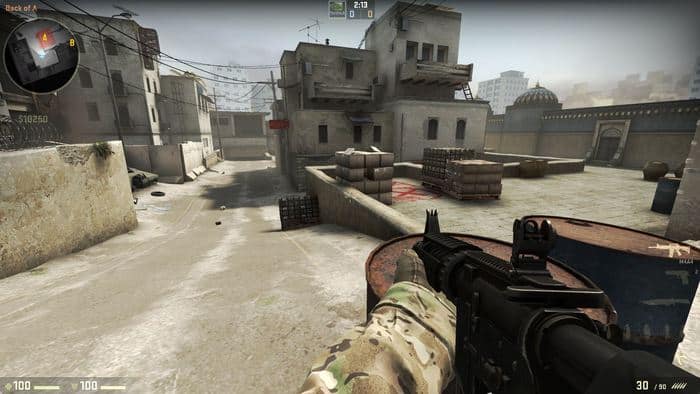
Free Online Fps Games For Mac No Download
If you follow the above steps correctly, you should have the MilkChoco - Online FPS ready to run on your Windows PC or MAC. In addition, you can check the minimum system requirements of the emulator on the official website before installing it. This way, you can avoid any system-related technical issues.