macOS Monterey delivers powerful new user features and key technologies that help you build apps that bring users together. SharePlay provides easy ways to build all-new shared experiences, whether you’re creating a streaming app that offers shared playback or a collaborative design tool that enables simultaneous edits by users around the world. Games and pro apps take on a new dimension with powerful new features in Metal. And Object Capture in RealityKit helps you create 3D models from photos in record time.
SharePlay
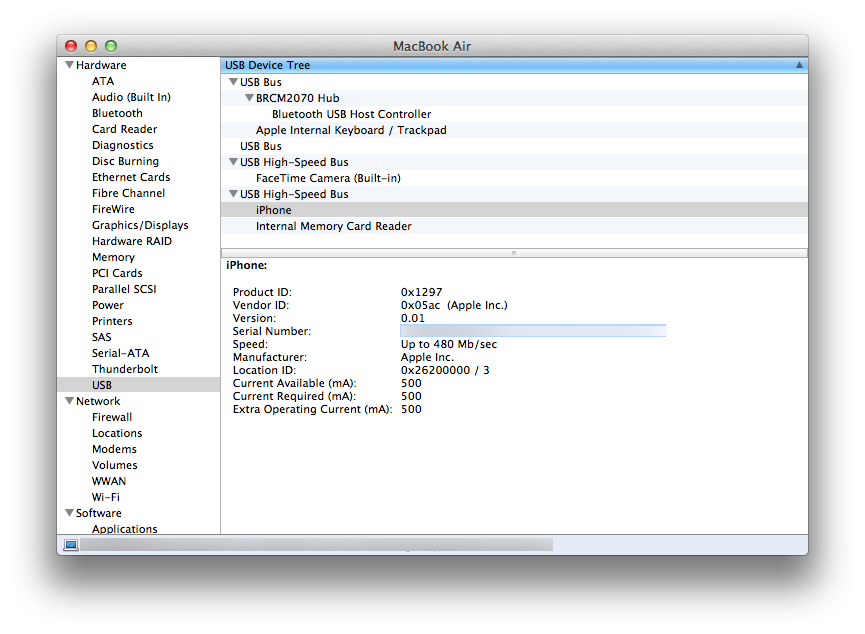
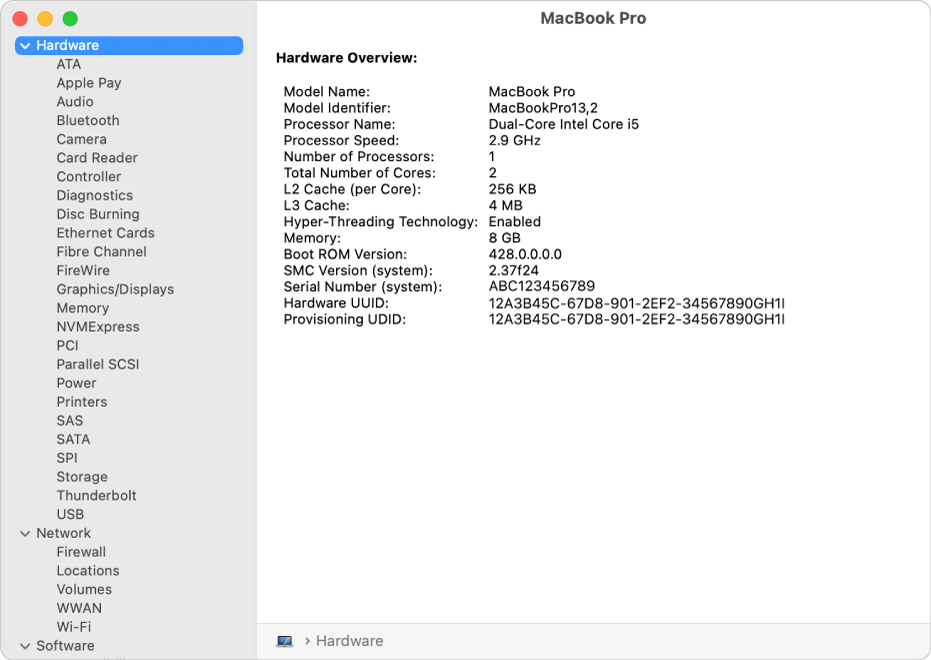
Storage Profiler 4.11.2. Until now, you`ve had limited options for storage performance management. You could cobble together vendor-specific monitoring consoles. To generate a System Profiler report: Click the Apple icon in the top left of the Apple menu. Select About This Mac. Click more info. On the System Profiler menu, click File, Export. Choose the format of the file you are creating. Select Rich Text or Plain Text. Select a location where you want to save the System Profile. System Profiler The System Profiler application provides information about your computer’s hardware, software, network, and logs. This information can come in handy when you are troubleshooting.
SharePlay offers a new way for people to share your app. Media streaming apps can let users share content through the new Group Activities API with full-fidelity video and all syncing handled by the system. And for shared experiences beyond media streaming, the GroupSessionMessenger API offers a secure data channel that syncs information between multiple instances of your apps across multiple users.
Metal
This framework provides a platform-optimized, low-overhead API that lets you develop the latest 3D pro applications and amazing games using a rich shading language with tight integration between graphics and compute programs. New features include enhanced graphics and compute integration, function stitching, updates to Ray Tracing, GPU-accelerated ML training, and more.
Shortcuts
Apple System Info

The power of Shortcuts is coming to macOS, so the capabilities of your app can be multiplied by exposing them as building blocks called actions. You can build Shortcuts actions on macOS whether your app is built with Mac Catalyst or AppKit, and your app can even run shortcuts itself.
Object Capture
Turn a series of 2D images from your iPhone or iPad into a photo-realistic 3D object that’s optimized for AR using Object Capture in RealityKit 2. This new macOS API gives you access to state-of-the-art photogrammetry software, so you can make unique 3D models with no 3D modeling expertise required.
Machine Learning
Build dynamic app features that leverage Create ML APIs to train models directly from user input or on-device behavior, allowing you to provide personalized and adaptive experiences while preserving user privacy. You can also take advantage of new templates and training capabilities, APls for Vision and Natural languages, and more.
ShazamKit
Enrich your app experience with audio recognition. Match music to the millions of songs in Shazam’s vast catalog or make any prerecorded audio recognizable by building your own custom catalog using audio from video, podcasts, and more.
System Profiler Mac Download Free
TestFlight
Later this year, you’ll be able to invite testers to try out beta versions of your Mac apps and provide valuable feedback with TestFlight. You can invite up to 10,000 testers using just their email address or by sharing a public link.
System Information Mac Os
Mac Catalyst
Apple System Profiler
The macOS 12 SDK brings new and improved APIs for apps built with Mac Catalyst, allowing you to display pop-up buttons, tooltips, and a subtitle in a windowʼs titlebar. You can also provide Touch alternatives, keyboard navigation, and support for Siri intents, as well as allow users to print everywhere using Command-P, and more.
Tools and resources
My System Profile
Use Xcode and these resources to build apps for macOS Monterey.