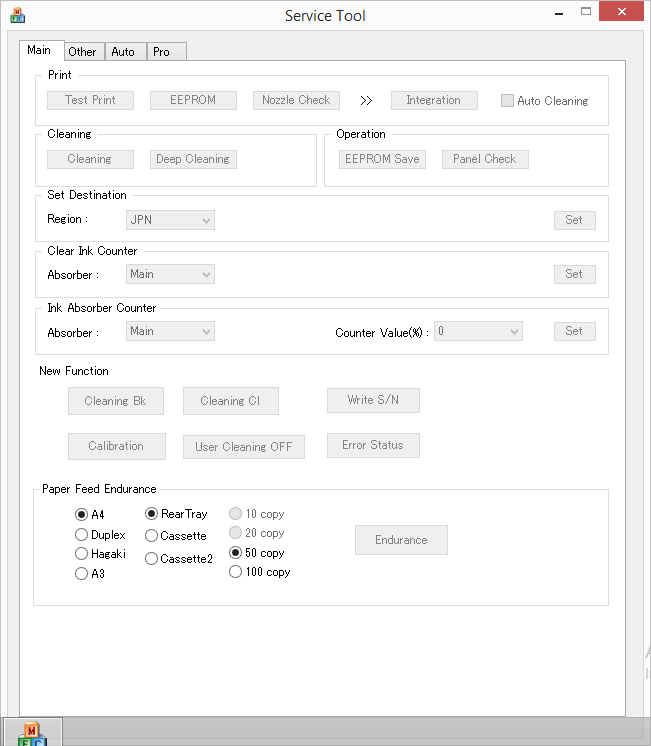
The Service Tool V3400, and administration instrument V3600, enable you to reset the waste ink cushion counter on some Canon printers:You can fathom the messages blunders “Waste Ink Tank Full” or “Waste Ink Pad Full”, “mistake 5B00” or “Blunder P07” on these printers. Joined Jan 18, 2010 Messages 13,833 Reaction score 7,472 Points 433 Location Residing in Wicklow Ireland Printer Model Canon/3D, CR-10, CR-10S, KP3. Canon ST4905 / G1000 G2000 G3000 Resetter First need to test service mode and then buy this service tool If can’t access service mode with 5step. Because your printer have been hardware problem. So can’t reset by this tool. SERVICE TOOL CANON v4905.rar is hosted at free file sharing service 4Shared. Reset Canon G3000, G3100, G3200, G3400, G3500, G3900. Step 1: Enter Service Mode. Turn off the printer. Press as well as concur the Stop button. Canon Service Tool St V4720 G1000, G2000, G3000 Reset Free. We provide the Service Tool V3600 for free, click in the links below to get started, contact us. Service tool V3400 for resetting Canon printers counter.
- Uninstalling IJ Network Tool
To uninstall IJ Network Tool from your computer, follow these steps.
For Windows:
Important
Canon Printer G3000 Download
Even if IJ Network Tool is uninstalled, you can still use a network to print or scan from the computer.However, you cannot use the network to change the network settings.
Log into a user account with administrator privileges.
To uninstall IJ Network Tool, follow these steps.
Windows 10:
Right-click Start button, and select Control Panel > Programs > Programs and Features.
Select Canon IJ Network Tool from program list, and then click Uninstall.
If User Account Control screen appears, click Continue.
Windows 8.1 or Windows 8:
Select Control Panel from Settings charm in Desktop > Programs > Programs and Features.
Select Canon IJ Network Tool from program list, and then click Uninstall.
If User Account Control screen appears, click Continue.
Windows 7 or Windows Vista:
Click Start > Control Panel > Programs > Programs and Features.
Select Canon IJ Network Tool from program list, and then click Uninstall.
If User Account Control screen appears, click Continue.
Windows XP:
Click Start > Control Panel > Add or Remove Programs.
Select Canon IJ Network Tool from program list and click Remove.
When confirmation message appears, click Yes.
When message appears saying to restart your computer, click OK and restart computer.
For Mac OS:
Important
Canon G3000 Service Tool V4905 Free Download
Even if IJ Network Tool is uninstalled, you can still use a network to print or scan from the computer.However, you cannot use the network to change the network settings.
Select Applications from Go menu of Finder, double-click Canon Utilities > IJ Network Tool, and then drag CanonIJ Network Tool icon into Trash.
Restart computer.
Empty the Trash and restart your computer.
Note
To reinstall IJ Network Tool, uninstall IJ Network Tool and install it again from the Canon website.